SketchUp V-Ray Mixed Video Tutorial Series

Our mixed V-Ray video tutorials series collects different SketchUp V-Ray topics in a single playlist. It includes lessons on everything from lighting to materials, and from render settings to scene layout. The series does not follow one project; it moves topic by topic. So you can jump straight to the topic you need and find a solution quickly.
In this post we explain how to get the most out of a mixed series. We also briefly cover the first lesson in the list, which is about the Dome Light.
V-Ray video tutorials playlist
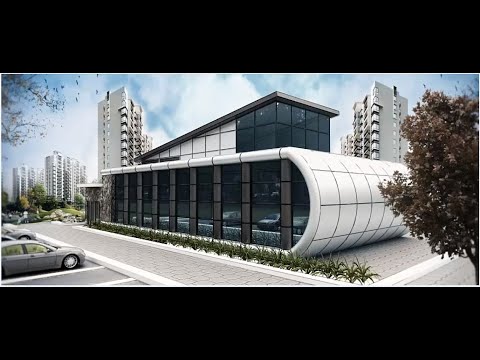
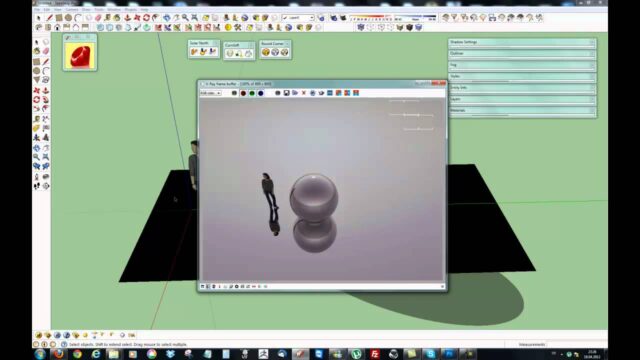
The first lesson in the list is a Dome Light walkthrough of about eleven minutes. You can move on to the other lessons from the playlist.
 YouTube
What does a mixed series mean?
Some course sets cover a single project from start to finish, for example modeling and rendering a bathroom. A mixed series instead brings together standalone lessons we made at different times. (The video is in Turkish; this guide walks through the key steps in English.)
This structure has two big advantages. First, you can watch each lesson on its own. Second, when you run into a problem, you can go straight to the relevant lesson. That way you do not have to watch a long series from the beginning.
The first lesson in the list: Dome Light
The Dome Light is a spherical light source that surrounds the scene from every direction. It usually works with an HDRI image and imitates the light of the sky. This lets you set up natural ambient light in both exterior and interior scenes.
The Dome Light also makes the surroundings visible on reflective surfaces. For example, the sky reflects on a car’s bodywork or on a glass table. This small detail clearly boosts the realism of the image. You can also take a look at our Dome Light post, where we cover the topic with a more recent version.
How should you watch V-Ray video tutorials?
There are two ways to watch a mixed series. Which one you choose depends on why you are watching.
- Watch from start to finish: this works if you want to get to know V-Ray in general. You get a broad view of many different topics.
- Pick by topic: if you have a specific problem, go straight to the relevant lesson. For example, if you are having trouble with lighting, watch the lighting lessons first.
Either way, apply what you watch right away. Watching alone does not make knowledge stick. Even a short test reinforces what you learned.
A learning order by topic
If you are new to V-Ray, we recommend taking the topics in a set order. This order lets you build each topic on top of the previous one.
- Lighting: first learn basic lighting with the Dome Light and the sun.
- Camera: then move on to exposure and framing settings.
- Materials: next, practice color, reflection and roughness settings.
- Render settings: finally, balance quality against render time.
If you pick your lessons from the list in this order, your learning will progress in a much more organized way.
Common mistakes with a mixed series
The most common mistake we see is jumping between lessons at random. The knowledge then does not connect and stays scattered in your head. So use the order above as a guide.
Another mistake is copying the values in the video exactly. Every scene has a different scale, lighting and set of materials. For example, a light intensity that works in the video may be too bright in your scene. Treat the values as a starting point instead, and adjust them to your own scene.
Our other post using the same playlist
We also covered this playlist from a version-focused angle. In our free V-Ray 1.49–2.0 course post, we explained how we made a set we used to sell available to everyone. The two posts complement each other.
We collected the lessons made with more recent versions on our SketchUp V-Ray videos page. For current V-Ray features, visit Chaos’s official V-Ray for SketchUp page.
Working efficiently with V-Ray video tutorials
Pick up a few small habits to get the most out of video tutorials. First, open the video in one window and SketchUp in the other. That way you practice while you watch. Then write down the important settings as short notes.
Also, do not hesitate to pause the video when you need to. Moving on before you fully understand a setting leads to bigger problems later. Finally, try what you learned in your own projects. The problems you hit on a real project teach the lessons that stick the most.
Frequently asked questions
In what order should I watch the mixed V-Ray video tutorials series?
Watch it from start to finish for an overview. If you have a specific problem, go straight to the relevant lesson.
What does the Dome Light do?
It gives ambient light that surrounds the scene from every direction. It usually imitates the sky together with an HDRI image.
Are these lessons still valid in newer V-Ray versions?
The menus may have moved, but the logic of lighting and materials stays the same. So the fundamentals will still help you in newer versions.