V-Ray Dome Light [Do You Know What a Dome Light Is?]


What does the V-Ray Dome Light do, and how does it light your scene? In this short video, we explain the dome light concept in plain language. A dome light is an ambient light that wraps around the scene like a dome and sends light from every direction. Especially when you use it with an HDRI image, it brings the light of a real sky into your scene.
At SketchUp Türkiye, we always try to give you the most complete information in 3D training. The video runs about 7 minutes and gives you a quick introduction to the topic.
V-Ray Dome Light video
After you watch the video, add a dome light to your own scene and try different HDRI images. You see the difference best through your own tests.
 YouTube
What is a dome light?
The Dome Light is V-Ray’s ambient light. It lights the scene from the whole sky, not from a single point. So shadows are soft and the lighting is balanced. Think of the light outside on an overcast day. You can’t see the sun, but the whole sky gives off light. The Dome Light imitates exactly this effect. (The video is in Turkish; this guide walks through the key steps in English.)
A dome light also works on its own with a flat color. But it shows its real power with an HDRI image. An HDRI is a panoramic image that stores an environment’s light information over a wide brightness range. V-Ray uses the bright and dark areas in this image as light.
The advantages of using an HDRI with the V-Ray Dome Light
HDRI lighting is one of the quickest ways to get a realistic image. The direction, color and intensity of the light come from a real environment.
- Natural light: The sky’s color gradients and the sun’s position carry over into the scene as they are.
- Realistic reflections: Glass, metal and glossy surfaces reflect the environment in the HDRI. So the surfaces show a real setting, not empty space.
- Quick setup: You light the whole scene with a single light and a single image.
- Easy changes: By swapping the HDRI image, you move the same scene into a morning, noon or evening mood.
What should you check in the dome light settings?
The Dome Light settings are quite simple. But a few core values directly decide the result.
- Intensity: Sets the strength of the ambient light. If the image is too dark or too bright, check this value first.
- Texture: You connect the HDRI file here. Files in HDR or EXR format give the best results.
- Rotation: By rotating the HDRI image horizontally, you change the direction of the light and shadows.
- Spherical (full dome): Makes the light wrap the scene as a full sphere instead of a half dome.
Current setting names differ slightly by version. For official information, visit Chaos’s V-Ray for SketchUp page.
Does the V-Ray Dome Light work for interiors?
Yes, but it needs a bit more care than for exteriors. Indoors, the dome light’s light only comes in through the windows. In rooms with small windows, this light isn’t enough and the image comes out noisy. In that case, adding portal lights to the windows or raising the camera exposure helps.
We showed dome light use indoors with V-Ray 5 in detail in our interior dome light lesson. To use HDRI images more efficiently, take a look at our using HDRIs efficiently lesson.
Dome light or sun?
Both imitate outdoor light, but they have different characters. The sun gives sharp shadows and a clear direction. The dome light gives soft lighting that comes from every direction. In many scenes, we use both together. For example, the sun creates the main shadows, and the dome light fills the shaded areas with sky light.
If you’re curious about sun settings, read our V-Ray sun settings post. That way you’ll better understand how to balance the two lights together.
Your first test with the V-Ray Dome Light
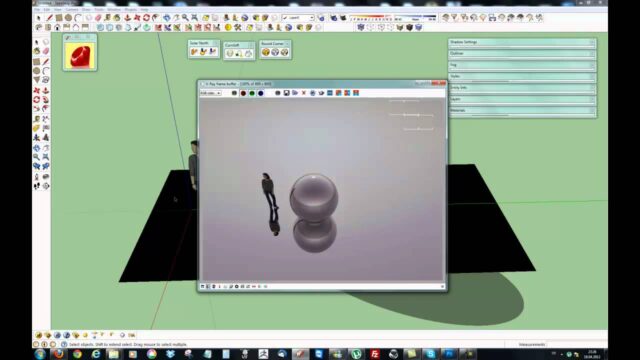
For your first test, pick a simple scene. A cube, a sphere and a floor are enough. Then add a dome light and connect an HDRI image. Rotate the image and watch how the shadows change. Finally, render the same scene again with different HDRI files. This small experiment helps you grasp the dome light logic in a few minutes.
Frequently asked questions
Do I need an HDRI for the V-Ray Dome Light?
No, it also works with a flat color. But for realistic light and reflections, we suggest you use an HDRI.
The HDRI image shows in the background of my render. Can I hide it?
Yes. You can hide the background with the visibility options in the dome light settings. The lighting effect stays, and the image disappears.
Why did my image come out so dark?
Most likely, the dome light intensity is low or not enough light gets into the interior. Check the intensity first, then the camera exposure.