Using the Dome Light for Interiors in V-Ray 5 (Part 06)

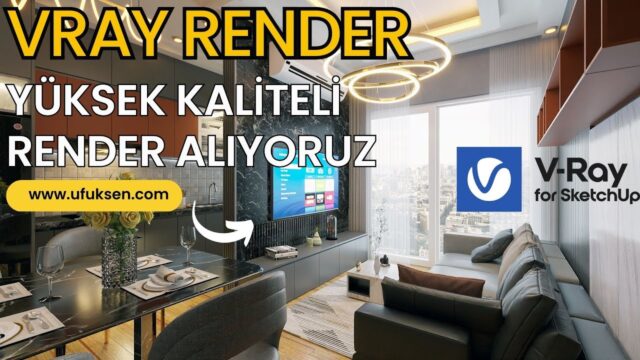
In this lesson we look at how to use the V-Ray 5 Dome Light, and we light an interior with it. Click to subscribe: https://bit.ly/3p1nFQK 💛
 YouTube
What’s in this video?
This lesson is the sixth part of our V-Ray 5 series. In the video we look at using the V-Ray dome light in an interior and light the space with it. The description has no detailed chapter titles. So we sum up the topic as far as the title and description tell us: (The video is in Turkish; this guide walks through the key steps in English.)
- Using the Dome Light in an interior scene.
- Lighting the space with ambient light coming from outside.
- Judging the effect of this light indoors through the render.
In earlier parts of the series, we covered using the Dome Light with an HDRI and the Rectangle Light separately. In this lesson we take the Dome Light straight into an interior.
We recommend keeping your own scene open while you watch. When you try each change right away, you understand the Dome Light’s effect on the interior much better.
Who is it for?
We made it for people who know the V-Ray interface and are taking their first steps in interior lighting. Anyone who uses the Dome Light outdoors but struggles with it indoors will also find what they need in this lesson. The video is about 8 minutes long. So you can watch it during a short break and try it in your own scene right away.
Getting to know the Dome Light in V-Ray 5
The Dome Light is a light source that wraps the scene from the outside like a dome. It usually works together with an HDRI image. An HDRI is a panoramic image that stores light information across a wide range. So a single file brings both the sky light and the surroundings in the reflections into the scene.
Outdoors, the Dome Light in V-Ray 5 is often enough on its own. Indoors, things change. Light from the dome only enters the room through windows, doors and other openings. That is why, with the same settings, an interior stays much darker than an exterior.
There are a few general ways to fix this darkness:
- Adjusting the camera exposure for the interior.
- Changing the Dome Light intensity to suit the scene.
- Adding extra lights in front of the windows or on the ceiling if needed.
- Rotating the HDRI to change the direction light enters the room.
On top of that, because there is little light indoors, noise in the render increases. So the calculation time for a clean result can get longer too. That is why we recommend testing the light at low quality first and then moving to the final settings.
How does the HDRI choice change the light?
The HDRI you choose largely sets the character of the Dome Light. For example, an overcast sky gives soft, even light. A sunny HDRI creates hard shadows and distinct sun patches on the floor. So for a calm interior, we often start with an overcast sky.
The color of the HDRI also shows in the scene. A sunset image pulls the room toward orange, while a light blue sky gives it a cooler tone. HDRI resolution also matters for reflections. A low-resolution image leaves blurry surroundings on glossy surfaces.
When you prepare the scene
For the Dome Light to get into the interior properly, the model needs to be ready too. For example, if the windows have thick, opaque glass, the light cannot get in. So check that the glass material is really transparent. Also clean up unnecessary walls or surfaces that block the outside. That way you see more clearly how light fills the room. Elements such as curtains, blinds or eaves also reduce the light coming in. Hiding these elements in the first tests and turning them back on after you set up the light makes things easier.
Related lessons
- Using HDRI efficiently: part three of the series.
- A short lesson explaining what the Dome Light is.
- Using the Rectangle Light indoors: the part right before this lesson.
- Creating a new material: the next part of the series.
For other render topics, take a look at our render guide.
Frequently asked questions
Are the Dome Light and an HDRI the same thing?
No. The Dome Light is the light source itself, and the HDRI is the image you give that light. Together they create sky-like ambient light.
Why does my interior render come out dark?
Because the ambient light only gets in through the openings. Adjust the exposure and use extra lights if needed. Also check that the window glass is transparent.
Does the Dome Light slow down rendering?
Not on its own. But because there is little light indoors, clearing the noise can take longer. So do your first tests at low quality.