Get Realistic Renders With Twinmotion 2022

Twinmotion is an architectural rendering program built on the Unreal Engine graphics engine. It is very popular because it is fast and comfortable to use, especially for animation and landscaping. Twinmotion has a very large library and detailed landscaping settings, which also make it stand out for landscape work. Being able to change the weather, and seeing that change affect the materials right away, is one of the program’s real strengths. With the 2022 version in particular, Twinmotion has become a program you can no longer ignore.
Twinmotion is a fast, effective render engine that gives you realistic results in both interiors and exteriors.
Watch the video for a closer look at Twinmotion:
 YouTube
What’s in this video?
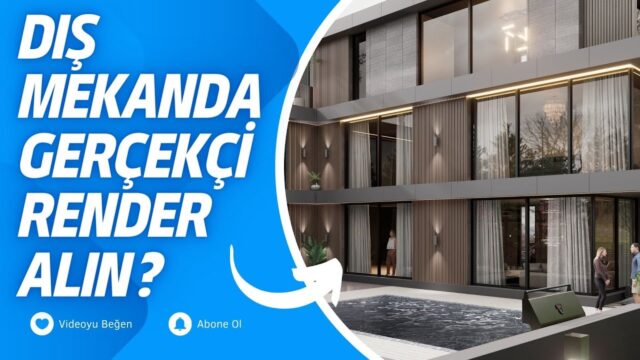
In this lesson we quickly visualize an exterior scene with Twinmotion 2022 to get realistic renders. The video’s English title says the same thing: fast exterior visualization. In the description we also briefly wrote our goal, which is to produce the architectural image in a short time. (The video is in Turkish; this guide walks through the key steps in English.)
The YouTube description has no chapter timestamps. So let’s sum up the content using the title, the description and the information in this post:
- Getting an exterior scene ready for presentation in a short time
- The program’s ability to render both interiors and exteriors
- Quickly setting up the landscape and surroundings
The video is not a catalog of settings but an example workflow. If you pay attention to how long each step takes while watching, you will reach the same speed in your own projects.
Who is it for?
The video runs about 18 minutes. It suits architects who want to get to an exterior image quickly. People who work in landscape design and want to fill the scene with plants, trees and surroundings will also get ideas from this lesson.
It is a good resource for architecture students too. Waiting hours for renders during jury week is often not possible. Producing a few alternative images with a fast workflow strengthens your presentation.
What to know before an exterior in Twinmotion
In a real-time visualization program, you see the result on screen the moment you change the scene. This speeds up light and landscape tests a lot, especially in exteriors. With classic engines, you wait for a separate render for every test.
In exteriors, the quality of the image is often decided by the model itself. So we recommend a few preparations on the SketchUp side:
- Material names: separate facade, glass, window frame and ground materials with meaningful names.
- Unnecessary geometry: clean up interior details that will not be visible and unused components.
- Face orientation: fix surfaces whose back face points outward, so materials look right.
- Terrain: model the ground the building sits on and the roads, even if simply.
Once the scene is in the program, most of the work is the surroundings. A large library of plants and objects turns an empty lot into a lively street in a short time. And changing the weather is the easiest way to show the same building in a different mood.
Do not neglect composition either. A camera close to eye level shows the building at human scale. Keeping vertical lines straight gives the image a professional look. Finally, check the light balance between the sky and the facade.
Another strength of the program is animation. Making a short camera walk from the same scene is an effective way to explain the project to the client. For example, a video moving around the building gives much more information than a single image. So you may want to add a short animation alongside your quick images.
For model preparation on the SketchUp side, the official help pages are also a good reference.
Related lessons
- To learn the topic from the start, take a look at our course set.
- For a simpler example, our simple exterior visualization lesson is ready.
- To see the effect of weather and seasons, watch the winter scene in 5 minutes lesson.
- We gathered the highlights of the release in our new features review post.
- All our render content is on our render guide page.
Frequently asked questions
Is Twinmotion only suitable for exteriors?
No. The program lets you render both interiors and exteriors. Still, thanks to its large library and environment settings, it is especially strong in exteriors.
Does fast visualization mean sacrificing quality?
Not always. If the model and material preparation is good, convincing images come out in a short time. But very fine lighting details need longer work.
Can I bring my SketchUp model into Twinmotion?
Yes, the two programs are often used together. Cleaning the model and organizing the materials before importing makes the next steps easier.