Simple Exterior Visualization With Twinmotion 2022

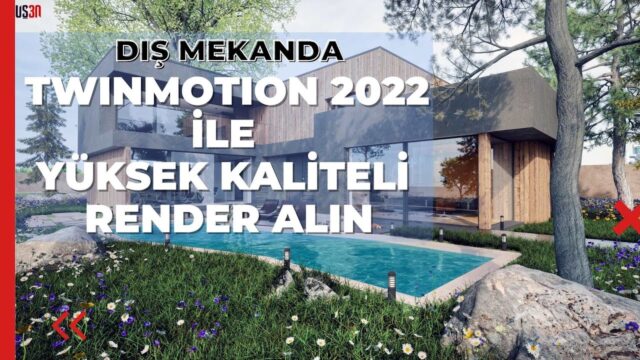
We made this lesson to show that exterior visualization with Twinmotion 2022 is simple. With its latest updates, Twinmotion 2022 is more powerful and lets you produce faster, higher-quality exterior renders.
Join to support this channel and get perks: https://www.youtube.com/channel/UCkM6… SketchUp Türkiye always works to give you the highest-quality, most complete information in 3D training.
 YouTube
What’s in this video?
In this lesson we show how simple exterior visualization can be with Twinmotion 2022. As we wrote in the description, the program became more powerful with its latest updates. We use that power to build a fast, high-quality exterior render workflow. (The video is in Turkish; this guide walks through the key steps in English.)
In the video we follow a simple, step-by-step path without drowning in complex settings. The description has no chapter timestamps. So we recommend opening your own model and trying along as you watch.
Who is it for?
The video runs about 28 minutes. That is a good length for following an exterior scene from start to finish without rushing.
- Users trying the program for the first time and looking for a simple start
- Architects who want to turn a SketchUp model into a presentation quickly
- Designers working on housing and landscape projects in particular
- Students with little time left before a project deadline
A simple exterior workflow in Twinmotion 2022
The secret of a simple workflow is not trying to do everything at once. In exterior scenes we split the work into a few clear stages. That way, at each stage you easily see what you changed and why the result changed.
- First we import the model and check that the scale and material names come through correctly.
- Then we place the main materials such as the facade, glass and ground.
- Next we build the surroundings with trees, grass and human figures.
- For light, we set the sun position and the sky.
- Finally we choose the camera angle and save the image.
This order is a general roadmap, not an exact copy of the steps in the video. Still, it keeps you on the right track as you set up your first exterior scene in Twinmotion 2022.
Before you watch
Twinmotion is a real-time visualization program. So you see every change you make on screen without waiting. This speed comes from the graphics card, though, so we recommend checking beforehand whether your hardware matches the program’s recommendations.
Keeping the model organized in SketchUp also makes your job much easier. For example, if surfaces with the same material come in under one name, you change them all at once in the program. For basic modeling topics, take a look at the SketchUp help center.
The advantages of keeping it simple
For a beginner, the biggest risk is fiddling with too many settings and never getting a result. A simple workflow gets you your first image quickly. That small success becomes strong motivation to keep learning.
And once the basic stages are settled, moving on to details gets easier. For example, setting up a simple scene first and then trying effects like rain, fog or night lighting is far more productive than starting with a complex scene.
A simple scene also does not strain the computer. Looking for camera angles and trying different times of day becomes much more enjoyable in a scene that does not stutter as you navigate.
Preparing the image for presentation
A final check when the render is done strengthens the presentation. First make sure the image resolution suits the screen or print you will use. Then pick the frame that shows the building’s strongest facade as the main image.
Adding two or three close-up frames that show the details also helps. That way the client sees both the whole project and the material choices in a single presentation.
Related lessons
- The release’s great new features: we review the updates.
- Fast exterior visualization: a short exterior lesson with the same version.
- A winter scene in five minutes: playing with weather effects.
- Our basics series: learn the program from the very beginning.
- Our render guide: all our render content on one page.
Frequently asked questions
Is Twinmotion 2022 suitable for a beginner?
Yes. With its simple interface and real-time structure, Twinmotion 2022 lets beginners get results quickly.
Do I need rendering knowledge to watch this lesson?
No. Basic SketchUp knowledge is enough, because we show every step in a simple order in the lesson.
Can I get different images from the same scene?
Of course. By changing the camera and the sun position, you can get different frames from the same scene, such as a daytime and an evening image.