SketchUp V-Ray Webinar: Great Features

SketchUp V-Ray Webinar [Great Features]
On our channel you will find 3D tutorials on SketchUp, 3ds Max, Blender, V-Ray, Corona Render, Lumion, Twinmotion, Enscape, Unreal Engine and other render engines widely used in 3D visualization. We put a lot of work into these tutorials and share them completely free. All we ask in return is that you subscribe to the channel and like and comment on the videos.
 YouTube
What’s in this video?
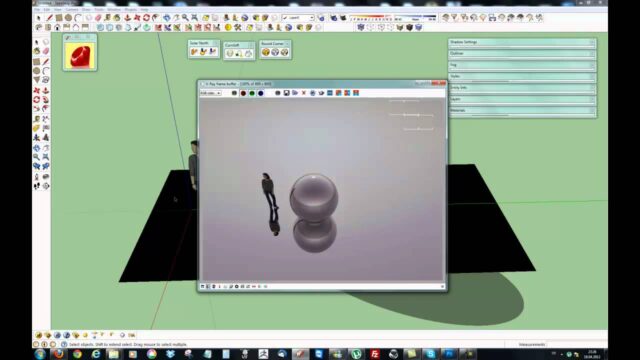
This video is our SketchUp V-Ray webinar recording. The words “Great Features” in the title show that we cover the program’s standout features. The tags in the description also point to V-Ray 5. So the recording covers the notable features of the V-Ray 5 era. (The video is in Turkish; this guide walks through the key steps in English.)
The video description has no chapter timestamps or detailed contents list. So instead of a step-by-step summary, we give you the topic in broad strokes here. We published the recording in December 2020, so you may see differences in the interface compared with today’s versions.
Who is it for?
The video runs about 64 minutes, so it is a little over an hour. Because it is long, we suggest watching it in parts rather than in one sitting. Grab a coffee, open your notebook and watch the recording at your own pace.
- SketchUp users who use V-Ray and want to see the new features all together
- Architects and interior designers looking for ways to speed up their render workflow
- People thinking of switching to V-Ray who want to see what the program offers
- Students looking for an overview before the lessons
What to know: how to watch a SketchUp V-Ray webinar recording
A webinar is a live presentation held online. Unlike a classic lesson, it shows many features together instead of working through one topic step by step. So a SketchUp V-Ray webinar recording is not as deep as a detailed lesson, but it paints a much broader picture.
A few habits help you watch a long recording efficiently:
- Keep a notebook beside you. Jot down a short note for every feature that interests you.
- First skim the whole recording, then go back to the parts that are useful to you.
- Try a feature you see in your own scene right away. You quickly forget information you don’t try.
- Change the playback speed when needed. Watch familiar topics fast and new topics at normal speed.
The basics of working with V-Ray
V-Ray is a render extension that runs inside SketchUp. It turns your model into a realistic image together with light, material and camera settings. For a good result, the model needs to be tidy first. Unnecessary faces, wrongly scaled textures or messy groups, for example, cause problems during rendering.
The features you see in the webinar are built on this foundation. So once you understand the logic of light and materials, the new features make much more sense. For the basics on the SketchUp side, you can also check the official Help Center.
Bringing new features into your work
Using every feature you see in a webinar right away in a real project is risky. Instead, we suggest preparing a small test scene. A simple room, a window and a few materials are enough, for example.
Try a new feature in this scene first, then compare it with your old method. If the result is better or saves you time, add it to your workflow. That way you won’t get surprises during a client project. Over time you will also build your own ready-made scene template.
Related lessons
- Our V-Ray 5 is coming article: first impressions before the new release.
- Getting to know the menus lesson: to learn the interface step by step.
- The tutorial set on V-Ray basics: for those who want to go deeper after the webinar.
- Our V-Ray video archive: our other V-Ray lessons in one place.
- Our render guide: gathers different render engines on one page.
Frequently asked questions
Do I need to know V-Ray to watch the webinar?
Having a basic idea makes it easier. But because the recording gives an overview, beginners can also easily see what the program does.
Can I watch this recording instead of a lesson?
The webinar shows you the big picture of the program, but it doesn’t explain every setting one by one. So think of it as preparation for the lessons, not a replacement for them.
Is the information in the recording still valid today?
The logic of light, materials and cameras doesn’t change. But since the recording dates from 2020, menu locations and some features look different in the current version.
Which lesson should I continue with after the webinar?
A SketchUp V-Ray webinar recording gives you a broad framework. After that, we suggest starting with the getting to know the menus lesson and moving on through the other parts of the series.