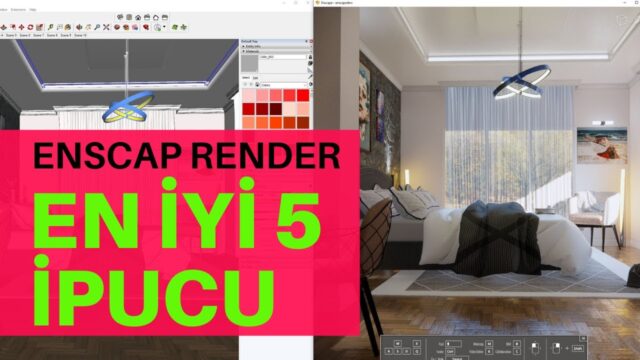
Visualization with Enscape Render


The Enscape render engine is one of the leading real-time visualization tools that have grown fast in popularity in recent years. Companies keep adding new engines to this market. Unreal Engine started the trend, then Lumion and Twinmotion grew it. Enscape became one of the most notable members of this family.
In this article, we explain why Enscape is so well liked, what kind of computer it needs and which programs it works with. We also share our comparison video with its rival, D5 Render.
What is Enscape render, and why does it stand out?
Enscape is a real-time render engine that sits inside your modeling program as an extension. In other words, you visualize the model directly without moving it to another program. The interface is very simple, so even beginners get results quickly.
It is also a step ahead of its rivals in lighting and material settings. It produces very good images, especially in interior and exterior scenes. Enscape is now part of Chaos; for the latest information, see Chaos’s official Enscape page.
Enscape vs D5 Render
D5 Render, released recently, is one of Enscape’s strongest rivals. We tried both engines on the same scene and showed the differences one by one in the video. Watch the video below to see which one suits you better.
 YouTube
You can find the written version of the comparison in our Enscape or D5: which render engine? article. (The video is in Turkish; this guide walks through the key steps in English.)
Why do we choose real-time render engines?
The main purpose of these engines is to speed up the workflow and get to the result quickly. With classic render engines, you wait a long time for a single image. With real-time engines, you see the result on screen the moment you change the scene.
That makes preparing a client presentation much faster. You also don’t lose time while trying out camera angles, lighting and materials. And you make design decisions far more comfortably from the image. On top of that, the client sees the space close to reality while it is still at the drawing stage.
What kind of computer does Enscape render need?
These engines do most of the work on the graphics card. So your system needs hardware that can handle the job. Expecting a smooth view from a weak graphics card is not realistic. In large scenes especially, the graphics card’s memory matters at least as much as its processor.
When we first wrote this article, Enscape’s own site recommended at least a 1060 series card or an AMD graphics card at that level. For more comfortable use, we recommended a 2070S or better. But these values change over time. Always check the current system requirements on the official page.
On laptops, you usually don’t get the same performance as on a desktop. If you still plan to work on a laptop, pay special attention to the graphics card. Our video on choosing a laptop is just what you need.
 YouTube
Frankly, if you are going to work in 3D visualization, aim for a system that is above average. You can also check our render computer guide, where we cover hardware choices in detail.
Which software does Enscape work with?
Enscape is not a standalone program: it is an extension added to architectural software. When we first published this article, it had versions for these programs:
- Revit: versions 2015, 2016, 2017, 2018 and 2019
- SketchUp Pro: versions from 2016 to 2021
- Rhino: versions 5.0 (64-bit) and 6.0
- ArchiCAD: versions 21 and 22
Of course, the support list changes with every new release. So before installing, compare the version of the program you use with the list on the official page.
How to speed up your workflow with Enscape render
Enscape’s biggest strength is its live link with the modeling program. When you move a wall or change a material in the model, you see the result immediately. So there is no need for a separate export step.
- Clean model: Remove unnecessary details and unused components from the scene.
- Right materials: If you set the materials correctly from the start, you won’t struggle at the end.
- Saved views: Save camera angles as scenes and save time in the presentation.
- Lighting tests: Try the daylight at different times and pick the most striking moment.
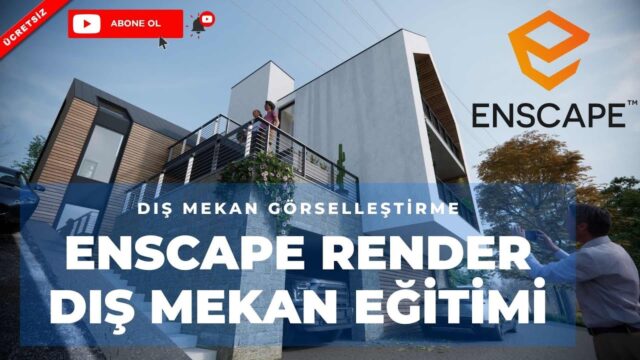
To see what you can do in exterior scenes, read our article on high-quality exterior visualization with Enscape.
Frequently asked questions
Does Enscape render run on a laptop?
It runs on a laptop with a powerful graphics card. But you usually get lower performance than on a desktop system.
Enscape or D5 Render?
Both are fast, capable engines. Before you decide, we suggest watching our comparison video and trying both on your own project.
Can I use Enscape with SketchUp?
Yes, Enscape works as an extension for SketchUp. Before installing, check that your SketchUp version is on the support list.