The Easiest Render Engines for 3D Architecture


3D architectural visualization is a fast-growing field. As programs get easier, the design itself takes center stage. In this article we look at the easiest options when you choose a render engine for architecture. We ranked them by both learning speed and how simple the interface is.
Render engines keep adding new features, because users want faster and more effective results. But every new feature usually asks for a more powerful computer too. So when you choose an easy engine, you also need to take your hardware into account.
Watch this before you choose a render engine for architecture
In the short video below we talk about which programs to focus on in 3D visualization. We also explain why it matters to decide which area of the industry you will focus on. Choosing your area early saves you time later.
 YouTube
What makes a render engine easy?
Ease is not just an interface with few buttons. For an engine to be easy, it needs to meet several conditions at once. (The video is in Turkish; this guide walks through the key steps in English.)
- Fast feedback: Seeing changes instantly shortens trial and error.
- Ready-made library: A library of plants, people and materials fills the scene quickly.
- Easy import: Opening a SketchUp model without trouble saves your first hours.
- Few settings: Getting a decent image even with the default values keeps you motivated.
The four engines below meet most of these conditions. All of them run in real time or close to it.
The easiest render engines for architecture
For this ranking we pictured a user who is starting visualization for the first time. For each engine we briefly note its strength and the point that needs attention.
1. Twinmotion
Twinmotion is a visualization program from Epic Games, built on Unreal Engine. You change materials with drag and drop. Weather and season settings also change in one click. For our free lessons, take a look at our Twinmotion course playlist.
2. Enscape
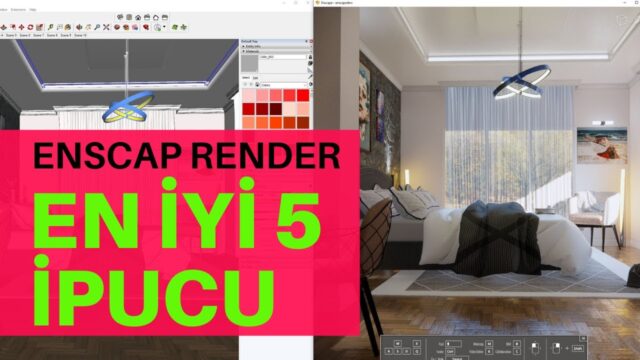
Enscape runs as a plugin inside programs like SketchUp and Revit. So you render without exporting the model. This is a big help if you want to check the image constantly during the design process. For details, see Enscape’s official page.
3. Lumion
Lumion gives fast results, especially in exterior and landscape scenes. Thanks to its large object library, you can bring a villa to life in a short time. On the other hand, the model opens in a separate program, so you need to pay attention to how you organize the import. For our lessons, go to the Lumion course playlist.
4. D5 Render
D5 Render is a young engine that uses ray tracing technology. Its interface is clean and quick to learn. It also has a free version, which is an important advantage for beginners. You can find our detailed review in our D5 Render review article.
Common mistakes when choosing a render engine for architecture
The most common mistake we see is trying to learn several engines at once. Each engine has a slightly different logic. So starting four programs at the same time gets confusing. Pick one engine first and finish a few projects with it.
Another mistake is choosing without considering your computer. Real-time engines need a strong graphics card. For example, opening Twinmotion or D5 on a weak card gives you a choppy experience. In short, get to know your hardware first, then choose the engine.
How does a render engine for architecture fit into your workflow?
An easy engine only shows its real value with the right workflow. First, build the model cleanly in SketchUp and save materials with meaningful names. Then bring the model into the engine you chose, or open the plugin window. Next, move on to the light, material and camera settings. Finally, save the image and make small color adjustments.
This order is roughly the same in every engine. So once you learn one engine well, moving to another gets easier too. For example, someone who learned to balance light in Enscape can apply the same logic in Twinmotion in a few hours. In short, once the basic concepts are settled, switching engines stops being a big obstacle.
Which one should you start with?
If you want to stay inside SketchUp, Enscape is a natural start. For landscape and animation-heavy work, Twinmotion or Lumion is more comfortable. For budget and trying things out, the free version of D5 Render opens a good door. Our SketchUp rendering guide, which puts five popular engines side by side, makes the decision easier.
If you need visualization support for professional projects, you can also look at our 3D architectural visualization work.
These two articles on the topic will also help: Architectural Design with Architectural Rendering and Architectural Visualization. Our SketchUp render guide also shows you step by step where to go next.
Frequently asked questions
What is the easiest render engine for architecture?
For beginners, Enscape and Twinmotion usually give the fastest results. But the choice depends on the modeling program you use.
Do easy render engines give realistic results?
Yes, with the right light and materials you get very realistic images. The difference usually comes from scene preparation, not from the engine.
Does an architectural render engine need a strong graphics card?
Real-time engines run on the graphics card, so a strong card is a big advantage. Check the current requirements on each engine’s official page.