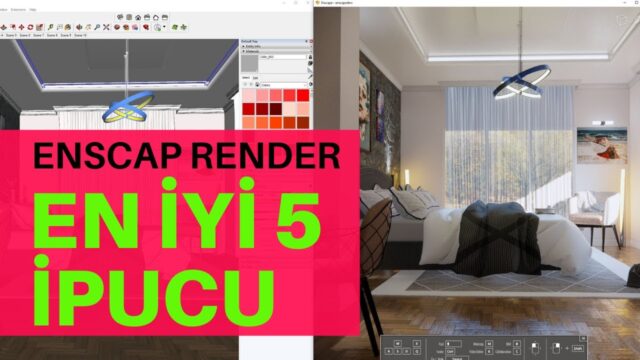
Interior Visualization with Enscape Render

Enscape Render: Best Interior Render. We keep producing high-quality content for you on rendering with Enscape, and this time it is an Enscape interior render. We would be glad if you share and like our lessons.
Your comments matter to us. 🙂
 YouTube
What’s in this video?
In this lesson we work step by step to get a high-quality interior image. The video’s English title sums up the topic: the best interior render. As we noted in the article, this lesson continues the content we have prepared on rendering. (The video is in Turkish; this guide walks through the key steps in English.)
The YouTube description has no chapter timestamps. So let’s summarize the content using the information in the title and description:
- Getting a high-quality image from an interior scene
- A hands-on walkthrough of the rendering process
The video is a long hands-on lesson. So we recommend opening your own model and trying the steps at the same time. As we also wrote in the description, your comments matter to us, so send us your questions.
Who is it for?
The video runs about 44 minutes. It is especially suited to interior architects who model in SketchUp and prepare interior images. Designers who want to quickly show a client a realistic presentation will also benefit from this lesson.
It is a good resource for students, too. A real-time engine makes it easier to produce strong images quickly at the pace of classes and design juries. And because you see the result the moment you change the model, the trial-and-error process gets shorter.
What to know before an Enscape interior render
Enscape is a real-time visualization tool that works together with SketchUp. You see any change you make to the model right away in the render window. That way you do not need to keep moving files between modeling and visualization.
In interiors, light is always the biggest topic. Daylight coming through the window sets the overall mood of the space. But this light often does not reach deep enough into the room. So you need to support the scene with ceiling and wall fixtures.
- Light layers: set the daylight first, then the general lighting, and the accent lights last.
- Materials: give surfaces like wood, fabric and stone a slight roughness and different reflection levels.
- Texture scale: check that parquet and tile patterns appear at their real size.
- Fullness: small objects like books, plants and textiles bring the space to life.
- Camera: a camera close to eye level gives a natural point of view.
The model side also directly affects the result. For example, walls with no thickness or faces that do not meet let light leak in from unwanted places. So in an interior model, it is important to build the walls, floor and ceiling as a closed volume.
Color temperature also sets the mood of an interior. The cool tone of daylight together with the warm tone of the fixtures gives a balanced image. In a living room image set in the evening, for example, warm lamps make the space look inviting. Keeping all the lights the same tone, on the other hand, makes the image flat.
Watch the vertical lines in your composition. When wall corners and door frames stand straight, the image looks much tidier. A wide-angle camera also makes the space look bigger, but it causes distortion at the edges.
Another advantage of a real-time engine is producing alternatives. You can show the client different material and color options from the same scene in a short time. This speeds up decisions for both you and your client. While preparing your SketchUp model, you can also take a look at the official help pages.
Related lessons
- To watch the series from the start, see the first part of the realistic visualization lesson.
- For a different room example, our realistic bedroom render lesson is ready.
- For overlooked details, read our things you never knew article.
- For general techniques, take a look at our realistic architectural visualization techniques article.
- All our render content is on our render guide page.
Frequently asked questions
Why does my Enscape interior render come out dark?
In interiors, light usually comes only through the windows. First check the exposure, then add artificial lights on the ceiling and in front of the windows.
Do I need to move the model out of SketchUp for an Enscape render?
No. The program works together with SketchUp. That way you see any change you make to the model right away in the render window.
Can I make a video from the same scene?
Yes. Besides still images, real-time engines also let you export videos with camera movement. These videos are an effective way to show the space to the client.
What causes light leaks?
They usually appear when gaps are left between the walls, ceiling and floor. So build the interior model with closed surfaces that have thickness.