Visualization With Our V-Ray 5 Course

With the lessons in our V-Ray 5 SketchUp course, we are starting a brand-new set. In the simplest possible way, we will show you how to get the most out of the V-Ray render engine.
 YouTube
 YouTube
In V-Ray 5 Light: Understanding Lights, you will see how lights work through tests with the V-Ray Rectangle Light.
 YouTube
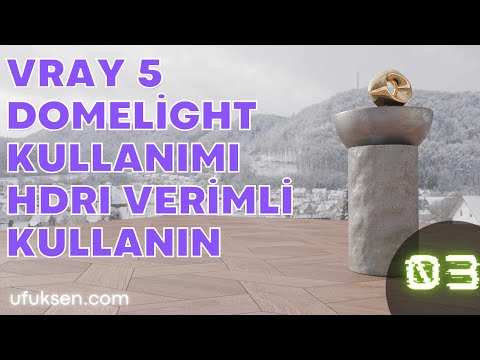
In this lesson we cover using HDRI in V-Ray 5. You will find the parameters and settings you need to use HDRI lighting, that is, the Dome Light, efficiently.
 YouTube
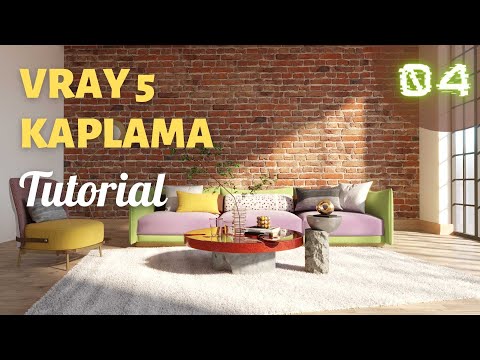
In this lesson we continue with preparing materials and lighting in V-Ray 5. We look at how to light a small space and how to apply materials.
 YouTube
We will see what it looks like to use only a Rectangle Light in an interior in SketchUp V-Ray 5. This video shows how the space is lit with just a rectangular light source.
 YouTube
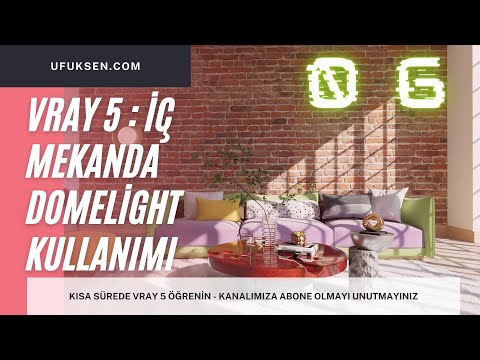
In this lesson we will look at using the Dome Light in V-Ray 5, and light the interior with it.
 YouTube
In our earlier lessons, we added ready-made V-Ray materials to our work. Now we will see how to create a new material in SketchUp V-Ray 5.
What’s in these videos?
On this page we collected the first seven lessons of our V-Ray 5 SketchUp course in one place. The lessons start with getting to know the menus, then move on to lights and materials. In other words, we cover the building blocks of rendering inside SketchUp in order. (The video is in Turkish; this guide walks through the key steps in English.)
- Getting to know the menus (01), about 7 minutes: the start of the set, where we get to know the interface and menus.
- Understanding lights (02), about 12 minutes: we run tests with the Rectangle Light and see how light works.
- Dome Light and HDRI (03), about 7 minutes: the settings you need to use HDRI efficiently with the Dome Light.
- Preparing materials and lighting (04), about 17 minutes: lighting a small space with the Sun, Dome Light and Rectangle Light.
- Rectangle Light in an interior (05), about 6 minutes: lighting the space with only a rectangular light source.
- Dome Light in an interior (06), about 8 minutes: this time lighting the interior with the Dome Light.
- Creating a new material (07), about 12 minutes: building a material from scratch after the ready-made ones.
The video descriptions have no chapter timestamps. So we recommend watching the lessons in order and trying the same steps in your own scene after each one.
Who is it for?
The seven lessons run about 69 minutes in total. So you can finish this part of the set in a single afternoon.
- Users who know SketchUp but are new to rendering
- Users coming from earlier versions who want to get used to the V-Ray 5 interface
- Interior architects, especially those who prepare interior images
- Students who want high-quality images for project presentations
What to know when working with V-Ray 5
V-Ray is a render engine that calculates the behavior of light physically. That is why the key to a good image is often the right lighting setup. It is also why we devote most of the set to lights.
You will often meet three light types in the lessons. The Sun represents sunlight, and the Dome Light gives ambient light from an HDRI image. The Rectangle Light mimics area lights such as a window or a ceiling fixture.
Materials matter as much as light. Under the same light, a badly set material immediately breaks the realism of a scene. That is why we start with ready-made materials and then create our own in the seventh lesson.
For the basics on the SketchUp side, you can also check the SketchUp Help Center.
Getting the most out of the set
- Prepare a small, simple scene first, so your tests finish quickly.
- In each lesson, change one thing and compare the result with the previous image.
- Keep the materials simple during the light tests, then move on to materials.
- Note down the settings you like and use them as a starting point in later projects.
This approach helps you understand what affects what, instead of memorizing settings. And over time, your own notes become a reference made just for you.
Related lessons
- Getting to know the menus (01): the first lesson of the set on its own page.
- Dome Light and HDRI lesson (03): ambient light with HDRI.
- Preparing materials and lighting (04): light and materials together.
- Creating a new material (07): preparing your own material.
- Our render guide: all our render content on one page.
Frequently asked questions
Should I watch these lessons in order?
Yes, we recommend it. Later lessons build on the light and material logic from the earlier ones.
What is the difference between the Dome Light and the Rectangle Light?
The Dome Light lights the scene from every direction with an HDRI image. The Rectangle Light gives area light from a specific surface, so it suits window and light fixture effects.
Do I need advanced SketchUp skills to learn V-Ray 5?
No. Basic modeling skills are enough, but working with a well-organized model makes the render process noticeably easier.