SketchUp Curtain Modeling: Curtains, Blinds and Rods in Three Clicks


A window with curtains makes a room look finished; bare glass leaves even the best design feeling incomplete. SketchUp curtain modeling usually means drawing fabric folds one by one, modeling the rod separately and measuring the fabric separately. In this guide, we show you how to set up curtains, roller blinds and venetian blinds in three clicks, and how to get the fabric takeoff and the quote from the same model.
In this article:
- Why is SketchUp curtain modeling hard?
- Curtain Craft: three clicks, a dressed window
- Batch mode: every window at once
- Fabric takeoff and quotes
- Who is it for?
- Limits and compatibility
- Choosing curtains for each room
Why is SketchUp curtain modeling hard?
Fabric is an organic form. Hand-drawn folds either look too regular or produce so many faces that the model gets heavy. A curtain is also not a single part: it needs a track, brackets, rings, a cassette, a chain and mounts. Finally, what the curtain fitter really wants is the fabric area in square meters, and the model doesn’t give you that on its own.
There are general extensions for organic forms; we covered them in our 8 best plugins for organic design article. But what curtains need is not free-form modeling: it is a system with accurate dimensions and quantities.
Curtain Craft: three clicks, a dressed window
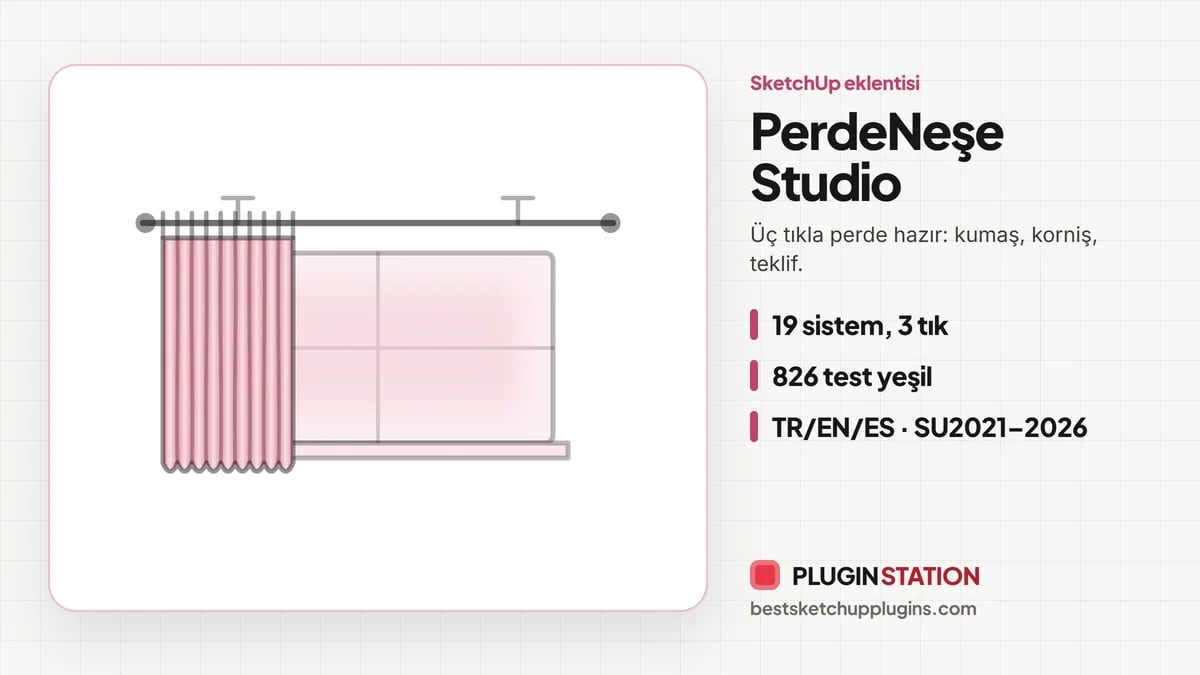
Curtain Craft sets up a curtain with three left clicks: the start point, the width and the Z height. The pleats, track, brackets and rings arrive in a single undo step. While drawing, Shift locks the inference point, the arrow keys lock to an axis, and Esc steps back one click.
19 parametric models, 5 families
- Draped curtains
- Roller and layered systems
- Folding and honeycomb shades
- Vertical and side-opening systems
- Natural and special models
The pleat and rod catalogs are dimensioned too. There are 6 pleat types, 5 track types (KS track, aluminum, decorative, wooden rod and a rustic pole with finials), half and full cassettes, and pelmet boxes. There are also 3 detail levels: Fast, Balanced and Organic+.
Batch mode: every window at once
If an apartment has ten windows, you don’t have to add curtains to each one separately. Batch mode dresses all selected vertical window faces at once. The width, height and room side are measured separately for each face. The whole batch fits into a single undo step.
Let the client change their mind; the curtain stays in place
The curtain stays parametric. You select the curtain and right-click: Curtain Craft › edit settings. The group is rebuilt in place, in a single undo step. A new fold density, a new pleat or a new track appears in the same spot. So every new request is just one setting away.
Fabric takeoff and quotes
This is the most valuable part for a curtain fitter. The extension measures the fabric live in square meters: the opening, sheer, main and technical fabric, accents and the total cut area. The calculation includes pleat fullness, overlap, roll allowance, puddling on the floor and your own waste percentage.
On top of that, more than 80 hardware items are counted in meters and pieces: tubes, end caps, chains, tubular motors, ZIP channels, rings, carriers and brackets. The result is two outputs:
- A CSV, split room by room, that opens directly in Excel
- A printable HTML quote with client, project and room fields, unit prices and VAT (KDV)
You get the quote as a PDF by printing it from the browser. For more extensions, see our SketchUp Plugin Guide 2026 article.
Who is it for?
This extension serves both sides. The interior designer hangs the curtains in seconds to make the room look finished. The curtain and blind company pulls the fabric and hardware list from the same model and prepares its quote. There is no extra step of measuring the fabric separately.
Limits and compatibility
Curtain Craft dresses the window; it doesn’t model the window. You bring the wall and the opening. The folds are measured parametric geometry, not a cloth simulation. The quote does the math but doesn’t know the prices: the unit price, VAT and waste are values you enter. The smallest dimension is 50 mm.
The extension runs on SketchUp 2021–2026 desktop versions; SketchUp Free on the web is not supported. The interface is in Turkish, English and Spanish. For installation, see our installing SketchUp plugins article. To show the room with curtains photorealistically, the free Render Fun renders inside SketchUp with fabric materials.
Current prices and purchase options are on the Curtain Craft product page.
Choosing curtains for each room
With all 19 systems at hand in SketchUp curtain modeling, the real question is which one suits which room. For a general start:
- Living room: draped side curtains with sheers give the room softness and a sense of height. Mounting the rod close to the ceiling makes the window look bigger.
- Bedroom: heavy blackout fabric or roller systems, which you can layer with sheers.
- Kitchen and bathroom: short, easy-to-clean roller blinds or venetian blinds.
- Office: vertical and side-opening systems give a tidy look on wide glazing.
Tips for preparing quotes
For curtain companies, the most critical moment is when the quote reaches the client. Clearly visible room names and dimensions in the quote build trust. Since Curtain Craft produces the quote room by room, the client sees what they pay for each window. And once you enter the waste percentage and unit prices to match your own company’s reality, you can quickly prepare quotes with the same values in later projects.
In the presentation, showing two options speeds up the decision. For example, prepare two scenes for the same living room, one with draped curtains and one with roller blinds. Since the curtain stays parametric, the second option is just a few seconds of changing a setting.
Summary
In short, SketchUp curtain modeling shouldn’t mean drawing folds one by one. Curtain Craft sets up 19 systems in three clicks, dresses every window at once in batch mode, counts the fabric area and hardware, and produces a room-by-room quote.
Frequently asked questions
Is a ready-made model enough for SketchUp curtain modeling?
It can be enough for a single image. But if every window has a different size and you need a fabric takeoff, a parametric extension is much faster.
Are roller blinds and zebra blinds included?
Yes. Roller and layered systems are in the model, and mechanical details such as the zebra band offset are taken into account.
Can I get the quote as a PDF?
Yes. The HTML quote opens in the browser, and you print it to PDF from there.
Do I need to install another extension?
No. The curtains, takeoff and quote all come from this extension; no extra library is needed.
Do I need to model the rod separately?
No. The track, rod, brackets and rings come with the curtain, in a single undo step.
Are different window sizes a problem in batch mode?
No. The width, height and room side are measured separately for each face; the whole batch is a single undo step.
Does the curtain model make the file heavy?
Repeating hardware is written as reused component definitions, and you can choose the lightest of the three detail levels.