SketchUp Plugin Guide 2026: Installation, Popular Extensions and Free Tools

SketchUp’s simplicity is what makes it powerful, and its extensions are what make it fast. With Push/Pull you can block out a mass in a few minutes. But when it comes to detailed work such as doors, windows, stairs, cabinets or terrain, the built-in tools slow you down. This SketchUp plugin guide explains what an extension is and how to install one. Then it looks at what the most talked-about extensions really do. It also shows you which free tools to start with.

What is a SketchUp plugin (extension)?
Extensions are small programs written in Ruby and installed as .rbz files. They add new tools, menus or panels to SketchUp. SketchUp’s geometry has no memory. It does not know that a wall is a wall, what the riser of a stair is, or which wall a window sits in. Extensions fill exactly this gap.
If you are new to the program, first read this post: What is SketchUp and what is it used for? Our what is a plugin post, where we cover the concept of extensions in more detail, is also on our site.
How do you install an extension in SketchUp?
- Do not unzip the
.rbzfile you downloaded, and do not rename it. - In SketchUp, open Extensions > Extension Manager.
- Click the Install Extension button at the bottom left, choose the file and accept the security warning.
- Restart SketchUp. If the toolbar does not appear, turn it on under View > Toolbars.
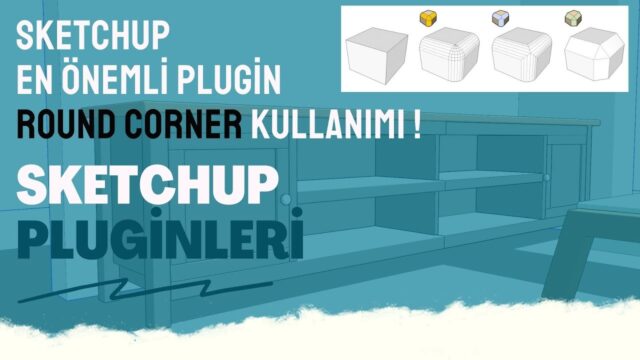
Fredo6’s tools (JointPushPull, RoundCorner, Curviloft) need the LibFredo6 library first. If nothing shows up after installing, this is the first place to look. For a detailed walkthrough, including folder paths and the Ruby Console, see the guide to adding and installing SketchUp extensions. If you want a video walkthrough in Turkish, see our extension installation lesson.
If the extension does not appear after installing
The most common problem is unzipping the .rbz file like a zip and copying it into a folder. Another cause is an extension that does not support your SketchUp version. So read the version information on the extension page before downloading. If you see an error message, the Ruby Console window under the Window menu shows the source of the problem.
What do the most popular SketchUp extensions do?

- JointPushPull: offsets curved and multiple faces together. It is the classic way to give thickness to shells and curved roofs.
- Shape Bender: bends an object you modeled flat, for example along an arch curve.
- Zorro2: a Section Plane only cuts the view, while this extension actually cuts the model.
- Mirror tools: usually not needed. SketchUp’s own Flip command does the same job.
- V-Ray, Enscape, Lumion, D5, Twinmotion: render engines, not modelers. How clean the model is matters most for the result.
Here is the post where we compare which one you need and when: popular SketchUp extensions and what they do.
SketchUp plugin guide: step-by-step walkthroughs by task
If you are stuck on a specific task, these guides show how to do it with the built-in tools and where an extension is a shortcut:
- For stairs: drawing stairs in SketchUp. Straight, L-shaped and spiral stairs, starting with the riser calculation.
- For joinery: the making windows and making doors guides
- For furniture production: creating a cut list and drawing production-ready cabinets
- For exteriors: landscape design in SketchUp. Terrain and roads with Sandbox, Drape and Stamp.
SketchUp plugin guide: what to look for when choosing an extension
Instead of installing every extension, choose the ones you really need. Unneeded extensions slow down SketchUp’s startup and clutter the interface. Ask these questions when you choose:
- Do SketchUp’s own tools already do this job?
- Does the extension support the SketchUp version I use?
- Does the developer update the extension regularly?
- Finally, am I downloading it from a trusted source, such as the Extension Warehouse?
SketchUp plugin guide: start with free extensions
If you are new to extensions, try free tools first. Soft Edge rounds edges with a single true radius. CityFill generates surrounding buildings instead of making you download them. You can download both from the free SketchUp extensions page. Check compatibility with your SketchUp version on the same page too. We collected other tools we picked for different jobs in our free extension recommendations.
All SketchUp extensions and guides in one place
Our extension catalog for architects, interior architects, landscape architects and furniture makers is available in both Turkish and English. Visit bestsketchupplugins.com →
Which extensions do you use? Share your suggestions in the comments, and we will add the common questions to this SketchUp plugin guide page.
Frequently asked questions
Is this SketchUp plugin guide suitable for beginners?
Yes, because we wrote it with users who have never installed an extension in mind. We start with the installation steps and move on to the popular tools.
I installed an extension but there is no toolbar. Why?
Check the extension under View > Toolbars. For Fredo6 tools, make sure the LibFredo6 library is installed.
Are render engines extensions too?
Engines such as V-Ray and Enscape run as extensions inside SketchUp. Lumion, D5 and Twinmotion are separate programs and bring the model in by importing it.