SketchUp 2027 Tutorial Videos: Free, Professional Lessons


If you are looking for SketchUp 2027 tutorial videos, you are in the right place. The new version is out and it makes many things easier. But the best way to learn a program fast is still to watch an expert and move forward step by step. In this article we first explain how SketchUp 2027 speeds up your workflow. Then we list free lessons we picked by topic from the SketchUp Türkiye YouTube channel.
In this article:
- How does SketchUp 2027 speed up your workflow?
- The SketchUp Türkiye YouTube channel and free lessons
- Beginner, modeling, material, render and extension videos
Before the SketchUp 2027 tutorial videos: what got easier in the new version?
SketchUp 2027 is one of the biggest updates in recent years. For example, models now open in tabs. So you switch between a site plan and a detail model without closing windows. Mac and Windows also use the same interface, so teams that move between the two systems find the same layout.
There are important improvements on the modeling side too:
- Copy Along: copies objects along a path in an editable way. For example, lining up benches or lights along a walkway takes much less time.
- The new Follow Me: now supports multiple profiles, and the result can be edited later.
- Section hatch patterns: your section and plan outputs become easier to read without any extra program.
- AutoFit Live Components: when you drop a component on a face, it fits itself to that face.
- LayOut Draw Mode: you draw on a 1:1 scale, paperless canvas.
In short, repetitive work goes down and revisions get easier. We collected all the details in our SketchUp 2027 new features article, and the computer requirements in our SketchUp 2027 system requirements article.
SketchUp 2027 tutorial videos and our YouTube channel
The SketchUp Türkiye YouTube channel is a free training archive we built for people who want to learn SketchUp in Turkish. The channel has more than 1,400 videos. Most of the lessons are made by Ufuk Şen, a SketchUp instructor and 3D visualization specialist. So you are watching lessons from someone who does this work every day.
And they are all free. You will find lessons on every topic, from basic tools to floor plan drawing and from materials to rendering. So all you need to improve is a bit of regular time. To make sure you do not miss new lessons, follow our channel.
A quick note: our SketchUp 2027 tutorial video series is in the works. In the meantime, you can start with our newest series, the SketchUp 2026 basics course. Core tools such as Line, Push/Pull, groups, components and materials work with the same logic in 2027.
Before the SketchUp 2027 tutorial videos: beginner lessons
If you are new to the program, start with the first lessons. First get to know how the program opens and its important settings. Then learn the modeling logic of the Line tool.
Opening the program and key topics (Lesson 01)
 YouTube
The Line tool and modeling logic (Lesson 03)
 YouTube
Groups and components (Lesson 05)
Learning the difference between groups and components early saves you a lot of time later on large models. (The video is in Turkish; this guide walks through the key steps in English.)
 YouTube
Modeling techniques: plan, image and detail lessons
Once you have learned the basic tools, move on to real work. Drawing a floor plan or building a model from a photo are the situations you will meet most in daily work.
Basic floor plan drawing (Lesson 08)
 YouTube
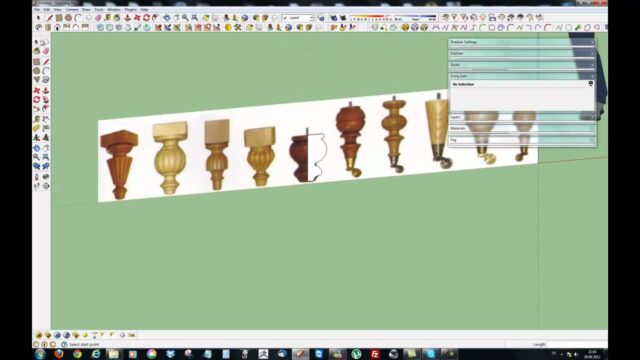
Modeling from an image (Lesson 11)
 YouTube
Ceiling molding modeling techniques (Lesson 18)
 YouTube
Material and HDRI lessons for the SketchUp 2027 tutorial videos
A good model comes to life with the right materials and light. In these lessons you can watch easy ways to assign materials and how to use HDRI.
Easy material assignment (Lesson 16)
 YouTube
Using HDRI (Lesson 12)
 YouTube
Rendering: your first render with the free Render Fun
You do not need an expensive program to turn your model into a realistic image. With the free Render Fun extension, developed in Türkiye, you can render without leaving SketchUp. Start with the first lesson:
 YouTube
SketchUp 2027 tutorial videos: speeding up with extensions
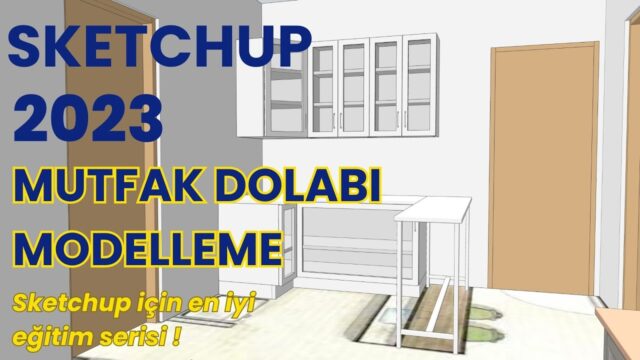
With the right extension, some jobs drop from hours to minutes. For example, in kitchen design it can be enough to draw the wall and drag in the cabinets, or just enter the dimensions. We collected our extension recommendations by task in our SketchUp 2027 extensions article.
A kitchen in 3 minutes: draw the wall, drag the cabinets
 YouTube
Just enter the dimensions and the kitchen builds itself
 YouTube
Summary: where should you start with the SketchUp 2027 tutorial videos?
SketchUp 2027 speeds up your workflow, but the path to mastery is still regular practice. So watch the basics lessons first, then move on to the modeling and material lessons. Then create your first render with Render Fun. If you want to move forward in order, use our SketchUp learning path, and measure your knowledge with our SketchUp knowledge quiz. For all the lessons, visit the SketchUp Türkiye YouTube channel.
Frequently asked questions
Are the SketchUp 2027 tutorial videos free?
Yes. Every lesson on the SketchUp Türkiye YouTube channel is free.
Are the 2026 lessons useful for SketchUp 2027 too?
Yes, because the core tools work with the same logic in 2027. For the new features, our 2027 lessons and new features article will guide you.
In what order should I watch the lessons?
Basics first, then modeling, materials and rendering. For an ordered list, you can use our learning path.