SketchUp V-Ray Lights: Using the Rectangle Light Efficiently

The V-Ray Rectangle Light is the light source we reach for most when lighting interiors with V-Ray in SketchUp. This rectangular light imitates a window, a ceiling panel or concealed lighting. Set up correctly, it gives soft shadows and balanced light. In this video we explain the key settings for using lights efficiently.
Many users add lots of lights to the scene to try to rescue the result. But a few lights in the right places give a more realistic and faster result. The aim of the video is to show exactly that balance.
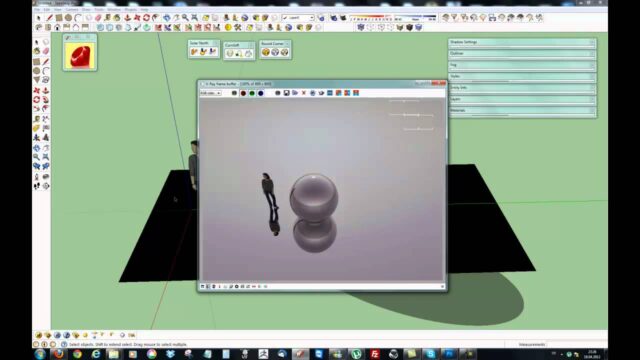
V-Ray Rectangle Light settings video
This video, about twelve minutes long, walks you through the important light settings step by step.
 YouTube
What is a Rectangle Light?
A Rectangle Light is an area light that emits light from a rectangular surface. Unlike point lights, it spreads light over a wide area. That is why its shadows are soft and natural. (The video is in Turkish; this guide walks through the key steps in English.)
Windows and ceiling panels behave the same way in real life. The light comes not from a single point but from a wide surface. So it is an ideal tool for imitating daylight and indirect lighting in interiors.
The relationship between size and intensity
The size of a Rectangle Light affects two things at once. The first is how soft the shadows are, and the second is the total amount of light. As you make the light bigger, the shadows get softer and more light reaches the space.
For example, a small light gives hard, sharp shadows. A large light looks like the soft light of an overcast day. So first set the light’s size to match the real source in the scene. Then adjust its intensity. If you reverse the order, you will keep having to change settings.
Also pay attention to the light’s aspect ratio. A long, narrow light, for example, imitates an under-cabinet LED strip well. A square light is better suited to a window or ceiling panel. That way each source lights the scene the way its real-world counterpart would.
Important options for the V-Ray Rectangle Light
A few options in the light’s settings panel change the result directly. The ones we use most are:
- Invisible: hides the light source itself from the camera. It keeps a light placed in front of a window from showing up as a white panel.
- Double Sided: makes the light emit from both sides. It is useful for concealed lighting inside a suspended ceiling.
- Color and temperature: warm tones give an evening feel, cool tones a daylight feel.
- Intensity: sets how bright the light is.
Using lights efficiently
Efficient lighting means getting the best result with the fewest sources. Every light adds to render time and increases noise. So before adding a light to the scene, think about whether you really need it.
The general method works like this. First, place a Rectangle Light in each window opening. That strengthens the daylight coming in. Then add extra lights only in the corners that stay dark. Finally, add the decorative lights. This order gives a result that is both realistic and easy to manage.
Common mistakes with the V-Ray Rectangle Light
The first mistake is burying the light inside a wall or ceiling. Part of the light then ends up behind the surface and unexpected blotches appear. Place the light just slightly away from the surface.
The second mistake is trying to solve every problem by raising the intensity. Too strong a light causes white blowouts. Take the camera exposure into account instead. The third mistake is not checking the light’s direction. By default a Rectangle Light emits in one direction, and if it faces the wrong way the scene stays dark.
Together with other light sources
A Rectangle Light does not carry the whole scene on its own. It usually works together with a Dome Light for the sky and the Sun for sunlight. We explained how the Dome Light works in our Dome Light article. For sun settings, see our V-Ray Sun lesson.
We showed how to use the same light in a newer version in our V-Ray 5 interior lesson. For the official descriptions of the light types, visit Chaos’s V-Ray for SketchUp page.
Frequently asked questions
Why does my V-Ray Rectangle Light look like a white panel in the render?
The light source is visible to the camera. When you turn on the Invisible option, the panel disappears but the lighting effect stays.
How many lights should I use?
There is no fixed number. But one light per window and a few extra lights in the corners that need them are enough for most rooms.
Why is there more noise in my render?
Lots of small, strong lights increase noise. Reduce the number of lights and make them as large as needed.