SketchUp Review: One-on-One Podcast Talks


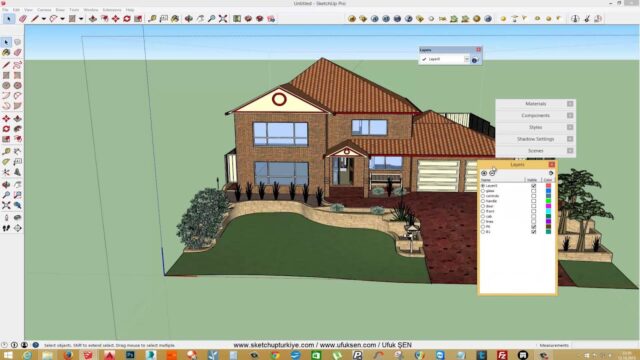
Our SketchUp review videos are some of the oldest chat recordings on our channel. In this playlist we talk about SketchUp in a podcast style, as a conversation. The list currently holds two recordings, and it was last updated in 2016. So the recordings reflect SketchUp as it was at that time.
We still find these talks valuable. Most of what we discuss about learning and improving with the program still holds today. In this article we introduce the list, then explain how you can evaluate SketchUp for yourself.
SketchUp review playlist
When you open the list below, the podcast recordings play in order. They are not tutorials; they are conversations. So you can follow them easily even with the audio playing in the background.
 YouTube
What do we talk about in these recordings?
Our channel started with the goal of teaching SketchUp and growing with the program together. Sharing what we knew about the render engines that run inside SketchUp was another goal. The podcast recordings follow the same idea, in a looser, more casual tone. (The video is in Turkish; this guide walks through the key steps in English.)
The chat format has one advantage. When a tutorial moves step by step, some questions get left behind. In a conversation it is easier to get into “why do we do it this way?”. That way the thinking behind the method comes out too.
Which criteria should you use for a SketchUp review?
Other people’s opinions help when you evaluate a program. But the real decision depends on how well it fits your own workflow. When we evaluate SketchUp, we usually look at these points.
- Learning time: How many days until you are comfortable with the basic tools?
- Model type: Does it suit your architecture, interior, furniture or landscape work?
- Render compatibility: Does the render engine you want to use work directly with SketchUp?
- Extension support: Can you fill a missing tool with an extension?
- Hardware: Can your computer comfortably handle the size of your model?
Answering these questions with your own projects gives you the most reliable review. For example, try modeling a small space from start to finish and rendering it. You will quickly see the program’s strengths and weaknesses.
SketchUp’s strengths
Over the years we have had a few clear reasons for choosing SketchUp. First comes the simple interface. Even a beginner turns a simple box into a wall, and a wall into a room, on day one. Then comes modeling speed. At the concept stage you can produce a massing study in a few minutes.
There is also a large community. Ready-made models on 3D Warehouse and extensions on Extension Warehouse fill in the gaps. We cover these topics in detail in our article on reasons to choose SketchUp.
Things to watch out for
Like any program, SketchUp has its limits. In very detailed models, for example, the file grows fast and the program slows down. You also usually need an extension for organic forms. That does not make the program bad. You just need the right tool for the right job.
To see how comfortably your computer will run the program, check the official system requirements page. The hardware that current versions need may differ from what we discussed in the 2016 recordings.
The podcast format for a SketchUp review
Tutorials show a specific task step by step. A podcast talks about the questions around that task. For example, we explain which method we chose for which project, or what we learned from a mistake. This kind of knowledge usually does not make it into a tutorial.
You can also listen to the chat recordings on the road, while walking or while working. You do not need to look at the screen, so you use your time better. That is why we see the SketchUp review recordings as a companion to the hands-on lessons. As you listen, note down the questions that come to mind and try them in your next session.
After you watch the recordings
The podcast recordings give you a general overview. But to really get to know the program, you also need to move on to hands-on lessons. Our SketchUp tutorial videos list is a good starting point. You can watch the lessons in order, from the basic tools to the rendering stage.
For the questions on your mind, we also put together our SketchUp frequently asked questions article. If you cannot find something there, leave it as a comment under the videos. That way we can cover those questions in a new one-on-one review recording.
Frequently asked questions
Are the SketchUp review recordings up to date?
The recordings date from 2016. The general ideas still hold, but the interface and version details have changed since.
Can these recordings replace a tutorial?
No, because they are in a chat format. To learn hands-on, we recommend watching them together with our tutorial videos.
What is the best way to evaluate SketchUp?
Model a small project from start to finish and render it. You will quickly see whether the program suits you.