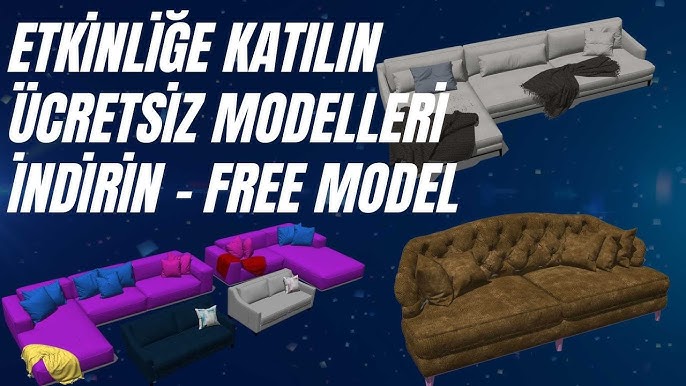
Download Free Render Engines!

How can I download free render engines? How can I use a free render engine? It is all in this video. Watch it to learn about free render engines like D5 and how to use the latest Enscape 3.2 release free for 2 years.
 YouTube
What’s in this video?
In this video we explain where to download free render engines and how to use them. The description has no chapter timestamps, so we compiled the topics from the description. (The video is in Turkish; this guide walks through the key steps in English.)
- Getting access to render engines offered for free, such as D5
- Downloading these engines and using them for the first time
- How to use Enscape 3.2 free for two years
We published the video in December 2021. License terms change over time. So be sure to check the developer’s current page before downloading.
Instead of reviewing each engine in detail, the video focuses on showing you where to start. For detailed reviews, take a look at the related lessons list below.
Who is it for?
The video is especially useful for students who are just starting to learn rendering. Architects and interior designers who want to prepare presentations without stretching their budget can also start here easily. It runs about 7 minutes. In a short watch, you get an overview of the options. It is also a quick starting point for teams that want to try different engines in their office. For freelance designers, too, it is an easy way to take the first step.
If you have never rendered before, do not worry. The steps in the video guide you from installation to your first image.
What you need to know when choosing a free render engine
A render engine is software that calculates the light and materials in your model and produces a realistic image. Some engines run as an extension inside the modeling program. Others ask you to bring the model into a separate program.
The word “free” does not always mean the same thing. Some programs are completely free. Others are only free for students, for education or for a limited time. Terms of use for commercial work can also differ.
Real-time engines show the scene instantly and let you test quickly. Classic engines work with longer calculation times. Which one suits you depends on the type of project and the deadline.
Then there is the hardware side. Real-time engines usually benefit from a strong graphics card. So checking the system requirements on the developer’s page is a good habit.
Starting to learn with a free engine lowers the risk. First run a few tests on your own model. Then observe the effect of light, material and camera settings step by step. That way you see from your own experience which engine fits your way of working.
Finally, clean up your model before choosing an engine. Unnecessary details and duplicate faces increase render time in every engine. A clean model gives faster results in both free and licensed engines.
Checklist before downloading
- Check whether the engine is compatible with your modeling program.
- Read whether the license allows commercial use.
- Check whether the free version has a time or feature limit.
- Make sure your computer meets the system requirements.
- Download the program only from the developer’s official website.
This small checklist prevents most of the surprises you would otherwise run into after installation. Installers that come from outside official sources in particular carry security risks.
Related lessons
- D5 Render review: the engine’s key features.
- Which render engine? Enscape and D5: a comparison of the two engines.
- SketchUp render engines: an overview of the general options.
- The easiest render engines for 3D architecture: suggestions for a quick start.
- D5, V-Ray and Enscape compared: three popular engines side by side.
To see all the options in one place, take a look at our render guide. The SketchUp help center also helps while you prepare your model.
Frequently asked questions
Can you do professional work with free render engines?
Yes, with a good model and the right light you get very successful images. But be sure to check commercial use rights in the license terms.
Is the two-year free use in the video still valid?
The video describes the terms in 2021. To find out the current situation, we recommend checking the developer’s official page.
Will learning a free engine help me later?
Yes, the logic of light, materials and camera is largely similar from engine to engine. So the experience you gain here makes it easier to switch to another engine later.
Can I install more than one engine on the same computer?
Usually yes, but each engine needs its own disk space and system resources. So removing the engines you do not use takes some load off your computer.
Which engine should I start with?
An engine with a simple interface that works in real time speeds up the learning process. Then you can move on to more detailed engines as you need them.