Corona Render for SketchUp: Flawless Renders in Interior Design
Corona Render SketchUp

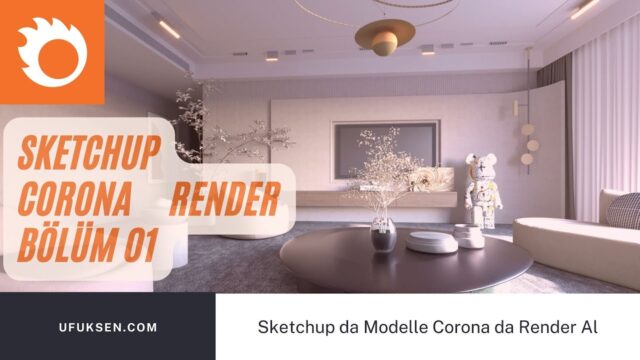
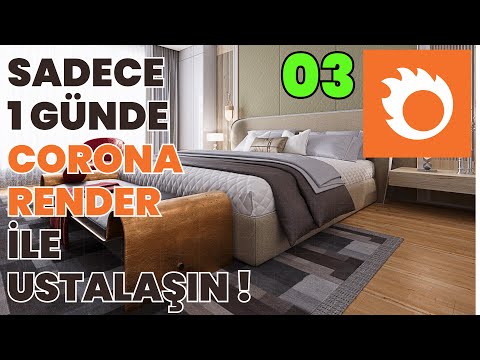
Pairing Corona Render SketchUp pushes the limits of realism in interior projects. It is an ideal choice if you are looking for realistic rendering with Corona. In this post you will find techniques, the right settings and fixes for common problems. We also share the videos of our course set built around a bedroom scene.
Corona Render SketchUp tutorial videos
In the course set we light and render an interior scene step by step. We recommend watching the videos in order.
 YouTube
 YouTube
 YouTube
 YouTube
 YouTube
 YouTube
 YouTube
Why is Corona Render so popular?
In interior projects, Corona handles light and material details down to the finest point. Its user-friendly interface and effective results make it ideal for both beginners and professionals. You can also get realistic images with only a few settings. That is why it is especially loved among interior designers. (The video is in Turkish; this guide walks through the key steps in English.)
Today Corona is developed under Chaos. For current versions, license types and training options, see Chaos’s official Corona page.
First step: how to download Corona Render
Downloading Corona is quite simple. You can get the trial or the full version from the program’s official page. Education license options are also offered for students. Before installing, always check that your SketchUp version is among the supported versions.
Corona Render and SketchUp compatibility
Turning an interior you modeled in SketchUp into a realistic image with Corona is quite easy. Corona’s interior lighting and material settings in particular complete the mood of the design. In a scene like a bedroom, the light, shadow and material details bring the project to life.
Clean up the model in SketchUp before rendering. Delete unnecessary geometry, save materials with meaningful names and store camera angles as scenes. That way you will not waste time while adjusting settings in Corona.
Common problems and fixes
- Black screen: This problem usually comes from missing or wrong lighting settings. Check your light sources and environment lighting.
- Render does not start: This happens when there is an installation error. Check system compatibility and your SketchUp version.
- Image too dark: Boost the window light or raise the exposure value.
- Noisy image: Increase the render time or turn on the denoising feature.
Corona Render SketchUp performance tips
- The right settings: Use settings that balance render time and quality.
- Denoising: Denoising reduces noise after rendering and gives clean, sharp images.
- A light model: Shorten render time by deleting details that will not be visible.
- Test renders: Do a test at low resolution before the final image.
A powerful computer also directly affects render time. Corona does most of the work on the CPU, so a multi-core processor makes a big difference. For choosing hardware, take a look at our render computer guide.
Corona or other engines?
Corona strikes a very good balance between realism and ease of use. V-Ray offers more settings and flexibility, while real-time engines stand out for their speed. In short, the choice depends on your project type and working habits. For a comparison of engines, see our SketchUp render engines post. You can also find examples we made with different engines on our architectural visualization page.
Turn your imagination into reality with Corona Render
Corona Render is one of the easiest ways to reach high quality in your SketchUp projects. Whether you use it for interiors or exteriors, its flexibility and quality put you a step ahead. With the right settings, you can turn what you imagine into images that set your projects apart.
What you will learn from the bedroom scene
The bedroom scene in the course set covers all the basic topics of interior rendering. Window light, artificial lighting, fabric and wood materials come together in a single scene. So once you finish the set, you can easily apply what you learned to different spaces such as a living room, kitchen or office.
Also try the same settings in your own scene after each video in the set. That way you reinforce what you learn right away.
From here you can continue with our Corona Render Basic Visualization Course Set post, then move on to our Corona Render High-Quality Bathroom Visualization Course Set post. To see all the topics together, take a look at our SketchUp render guide.
Frequently asked questions
Does Corona Render work with SketchUp?
Yes, Corona has a version for SketchUp. Check the supported SketchUp versions before installing.
How do you fix the Corona render black screen problem?
First check the light sources and environment lighting. If the problem continues, review the installation and version compatibility.
Corona or V-Ray?
Corona is simpler and faster to learn, while V-Ray offers more settings. We recommend trying both engines on your own project.