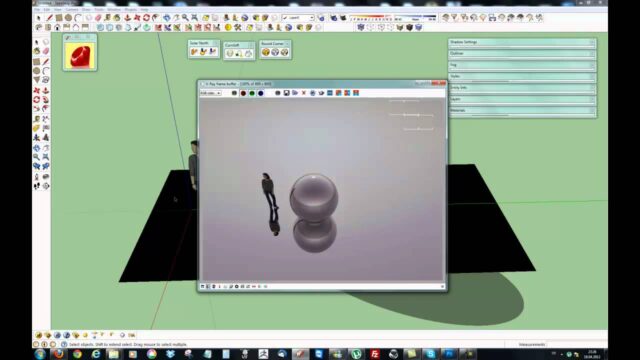
Model in SketchUp, Render in 3ds Max with V-Ray

In our 3ds Max V-Ray render course set, you prepare the model in SketchUp and do the visualization in 3ds Max with V-Ray. In this post we share the first video of the set and explain the logic of using the two programs together. One of the set’s special topics is scattering plants over terrain in 3ds Max. In short, we combine SketchUp’s speed with Max’s visualization power.
3ds Max V-Ray render course set: the first video
The video below is the set’s short introduction. You can move on to the other lessons in order from the playlist.
 YouTube
What makes this course set different?
When we build course sets, we always think about how you can get the most out of them. That is why we teach the topic through a real workflow, not just through menus. Our instructor has worked in the construction industry since 1997. In the set you’ll also find practical knowledge that comes from this field experience. (The video is in Turkish; this guide walks through the key steps in English.)
The set also solves a problem SketchUp users run into often. The model comes together quickly in SketchUp, but rendering gets harder in large scenes. This is where 3ds Max and V-Ray come in.
Why model in SketchUp and render in 3ds Max with V-Ray?
SketchUp is a great program for fast, intuitive modeling. 3ds Max, on the other hand, is strong at managing large scenes and working with huge numbers of objects. For example, the landscape of a housing complex can hold thousands of plants. In scenes like these, Max’s scattering tools make life much easier.
- Fast modeling: You draw the building and its surroundings quickly in SketchUp.
- Strong scene management: 3ds Max gives you a more organized workspace in heavy scenes.
- Plant scattering: You spread trees and grass over the terrain in a controlled way.
- Final image with V-Ray: You take lighting and materials to a realistic result with V-Ray.
Before you move the model into 3ds Max
A smooth transfer depends on how you prepare the model in SketchUp. First, clean out unneeded lines and any components and materials you don’t use. Then split objects into meaningful layers. That makes selecting objects and assigning materials much easier on the Max side.
Give your materials clear names too. For example, a name like “facade_stone” instead of “Material12” saves you time in the next step. Also keep the unit settings the same in both programs. Otherwise the model comes into Max far too big or far too small.
For transfer details, see our post on moving a SketchUp model into 3ds Max. There we explain the process step by step.
Scattering plants over terrain
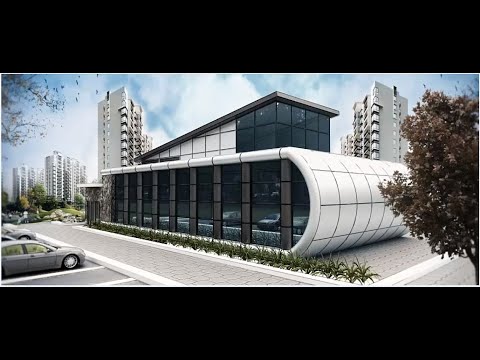
The hardest part of an exterior scene is usually the landscape. Placing trees one by one takes a very long time and doesn’t look natural. Instead, you need to scatter the plants over the terrain surface with some irregularity. In the set we cover this in 3ds Max.
For a natural result, vary the size and rotation of the plants a little. Also make sure no plants end up on the roads or the building. Then look through the camera and fill in any empty areas. That way you get a landscape that is both realistic and balanced.
Moving on to 3ds Max V-Ray render settings
Once the plants and materials are ready, it is time for lighting. First set up the overall light with a sun and sky. Then run test renders at low resolution. When the image reaches the mood you want, start the final render at high resolution.
You can follow V-Ray’s latest features on the official V-Ray for 3ds Max page. For a short summary of exterior settings, watch the demo video of our exterior render lesson.
Who is it for?
The set suits anyone who knows SketchUp and wants to take their rendering a step further. Architects working on projects with large landscapes will benefit the most. Basic 3ds Max knowledge helps, but you don’t need advanced skills.
What do we do after the 3ds Max V-Ray render?
The job isn’t over when the render finishes. Look over the image carefully once more and note any mistakes that catch your eye. For example, a floating tree or a car at the wrong scale ruins the credibility of the whole image. Fixing these and rendering again usually takes only a few minutes.
Then make small color and contrast adjustments to the image. A light tonal adjustment strengthens the harmony between the sky and the building. Preparing a few images from different camera angles also makes the presentation much richer. Finally, keep the scene file in an organized folder. That way, when revisions come in, you can quickly produce new images with the same settings.
Frequently asked questions
Is a SketchUp model good enough for a 3ds Max V-Ray render?
Yes, a well-prepared SketchUp model is a solid starting point. You just need to clean the model before the transfer.
Why do we scatter the plants in 3ds Max?
Because Max handles large numbers of objects more comfortably. That keeps big landscape scenes running smoothly.
Where can I find the lessons in the set?
The video in this post is part of a playlist. You can move to the other lessons in the list from the video itself.