SketchUp Sofa Modeling 01

In our SketchUp sofa modeling series, you model a sofa step by step with a different technique. So far, we have shared many basic SketchUp tutorial videos. With this series, we move on to modeling videos. The series has two parts, and each part runs about 18–20 minutes.
These lessons were originally part of the second tutorial DVD we made. But a few setbacks kept us from finishing the whole DVD. So we decided to publish the finished parts for free.
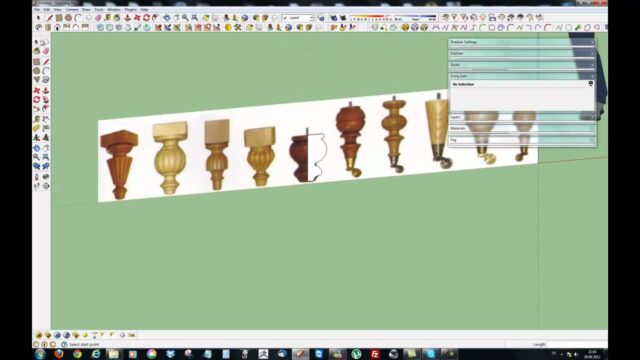
SketchUp sofa modeling: part 1
In the first part, we start modeling. As you watch, try the same steps on your own model.
 YouTube
SketchUp sofa modeling: part 2
In the second part, we continue with the model and finish the sofa. (The video is in Turkish; this guide walks through the key steps in English.)
 YouTube
Why is a sofa hard to model?
A sofa is one of the hardest pieces of furniture to model in SketchUp. It has soft cushions, rounded edges and fabric folds. SketchUp’s basic tools work most comfortably with flat faces and sharp corners. So organic forms like a sofa need different techniques.
In interior renders, the sofa also usually sits very close to the camera. A sofa with sharp or boxy edges ruins the realism of the image right away. So modeling soft transitions correctly matters a lot.
The general method for SketchUp sofa modeling
When we model a sofa, we usually follow this order:
- Set the dimensions: Note the sofa’s width, depth, seat height and back height.
- Block out the rough mass: Build the body, armrests and cushions with simple boxes.
- Separate the parts: Make each part its own group or component.
- Soften the edges: Round the corners to give the cushions a natural look.
- Add the details: Finish the model with legs, stitching and pillows.
SketchUp’s Soften/Smooth Edges option helps with softening edges. For more organic forms, extensions make the job much easier. We gathered organic modeling extensions in our 8 plugins for organic design post.
What should you watch for during SketchUp sofa modeling?
- Real dimensions: Keep the seat height and depth close to a real sofa.
- Face count: Too much smoothing makes the model heavy, so keep a balance.
- Using components: Make identical cushions components and edit them all at once.
- Clean model: Delete inner faces no one will see and keep the file light.
When the model is finished, save it as a component. That way you can reuse the same sofa in different projects. When you apply a fabric material, also watch the texture scale. A fabric with a large pattern makes the sofa look smaller than it is.
Next step: preparing the sofa for rendering
After you finish the model, you can move on to rendering. On fabric surfaces, a slightly matte material and a fine bump effect add realism. Soft, indirect light also shows the sofa’s form best.
If you’d like to keep modeling furniture with another example, take a look at our organic table modeling lesson. For the basics of modeling objects to exact dimensions, our technical modeling lessons are a good start. 3D Warehouse is also a rich source of ready-made furniture models.
What can you do after the sofa model?
With the techniques you learn in this series, you can model other seating too. For example, you can draw an armchair, a corner sofa or a pouf with the same logic. First you block out the rough mass, then you soften the edges and add the details.
Also think about building your own furniture library. Save every piece of furniture you model as a component in a separate folder. Before long, you’ll have a rich archive you can reuse again and again in your interior projects. That saves you hours on every new project.
Try your models with different fabric and color options too. The same sofa fits a completely different interior with a different material. That also makes it easier to show the client more than one option.
Finally, compare the sofa you modeled with a real product. Look at the dimensions in a furniture catalog and check the proportions of your model. This small habit keeps your models both realistic and accurate. Over time, your eye also gets used to proportions.
Frequently asked questions
Do I need a plugin for SketchUp sofa modeling?
SketchUp’s own tools are enough for a simple sofa. For softer, more organic forms, extensions make the job easier.
How many parts does the series have?
The series has two parts. You can watch both videos in order in this post.
Why did my sofa model get so heavy?
Most likely, the face count went up a lot during smoothing. Delete faces no one will see and try again with fewer segments.