How Materials Work Physically [Explained with an Example] 04


The physical logic of materials, the idea behind physically based materials in rendering, is a core topic everyone working in 3D should know. Whatever field you work in, you need to understand the main logic of materials and how they work. It doesn’t matter whether you use SketchUp V-Ray or another render engine: these principles are the same in every engine. In this part we explain the topic with a simple example.
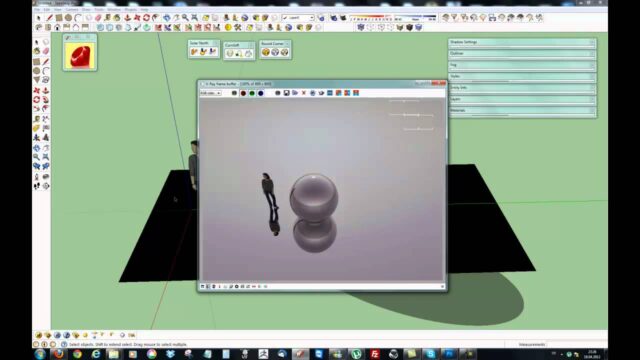
This video, part four of our materials series, is short but dense. Before getting into settings, we look at what happens when light hits a surface. That way, in the next parts, you can more easily understand why each setting exists.
Video: the physical logic of materials
You can watch the roughly four-minute video below.
 YouTube
What happens when light hits a surface?
When light reaches a surface, one of three things happens. The surface absorbs part of the light, part of it bounces back, and part of it passes through. What sets each material apart is the ratio of these three behaviors. (The video is in Turkish; this guide walks through the key steps in English.)
- Absorbed light: sets the surface’s color. A red surface absorbs most colors other than red.
- Bounced light: creates reflection. A mirror sends almost all the light back cleanly.
- Transmitted light: creates transparency and refraction. Glass and water belong to this group.
The render engine calculates exactly this behavior. In other words, every setting in the material menu controls one of these three behaviors.
The balance between color and reflection
In the real world, a surface can’t give back more light than it receives. We call this rule energy conservation. For example, a very glossy surface doesn’t show a very vivid color at the same time. Most of the light goes into reflection.
Physically based engines like V-Ray set up this balance on their own. That is why you notice the color fading a little when you raise the reflection value. This isn’t a bug; it is part of realism.
What does roughness change?
No surface is perfectly flat at a microscopic scale. Tiny bumps on the surface scatter light in different directions. The rougher the surface, the blurrier the reflection; the smoother it is, the sharper.
For example, polished marble reflects almost like a mirror. But honed marble with a matte finish gives a soft, diffuse reflection, even though it is the same stone. The two materials have the same color; the only difference is roughness. In V-Ray you set this difference with the Glossiness or Roughness settings.
The physical logic of materials and the Fresnel effect
When you look straight down into a lake, you see the bottom. But when you look at water in the distance, the surface reflects the sky. We call this change in reflection with viewing angle the Fresnel effect.
This effect isn’t unique to water. You see the same behavior on many surfaces, like a wooden table, a painted wall and plastic. So the physical logic of materials suggests keeping Fresnel on and choosing the right index of refraction.
Refraction and transparent materials
Light changes direction when it passes from one material to another. That is why a pencil in a glass of water looks broken. Every transparent material has an index of refraction. For example, this value is about 1.33 for water and about 1.5 for ordinary glass.
When you enter the right IOR value in the render engine, glass and water look far more convincing. A slight tint also forms at the edges of thick glass. These small details clearly boost the realism of the image.
Using the physical logic of materials in a project
When you prepare a new material, first ask yourself three questions. What color is this surface? How much does it reflect, and how sharply? Does light pass through it? The answers to these three questions form the skeleton of the material.
Then look at a real reference photo. For example, if you are modeling a kitchen countertop, study photos of real countertops. That way you set values based on observation, not guesswork. And the image you present to the client looks much closer to the real material.
Other parts of the series
Before this part, we covered using image files as materials. For that topic, see part 3 of the series. In the next part we build professional materials with PBR textures. We also covered problems on curved surfaces in the complex surfaces lesson.
You can find official information on V-Ray’s material system on Chaos’s V-Ray for SketchUp page.
Frequently asked questions
Is the physical logic of materials the same in every render engine?
Yes, because they all imitate the same behavior of light. Only the names of the settings and where they sit in the menus change from engine to engine.
Why does the color fade when reflection goes up?
A surface can’t give back more light than it receives. When more of the light goes into reflection, less light is left for color.
Where can I find the index of refraction?
Values for common materials are listed in physics references. For example, you can use about 1.33 for water and about 1.5 for glass.