Alternative Render Engines for SketchUp

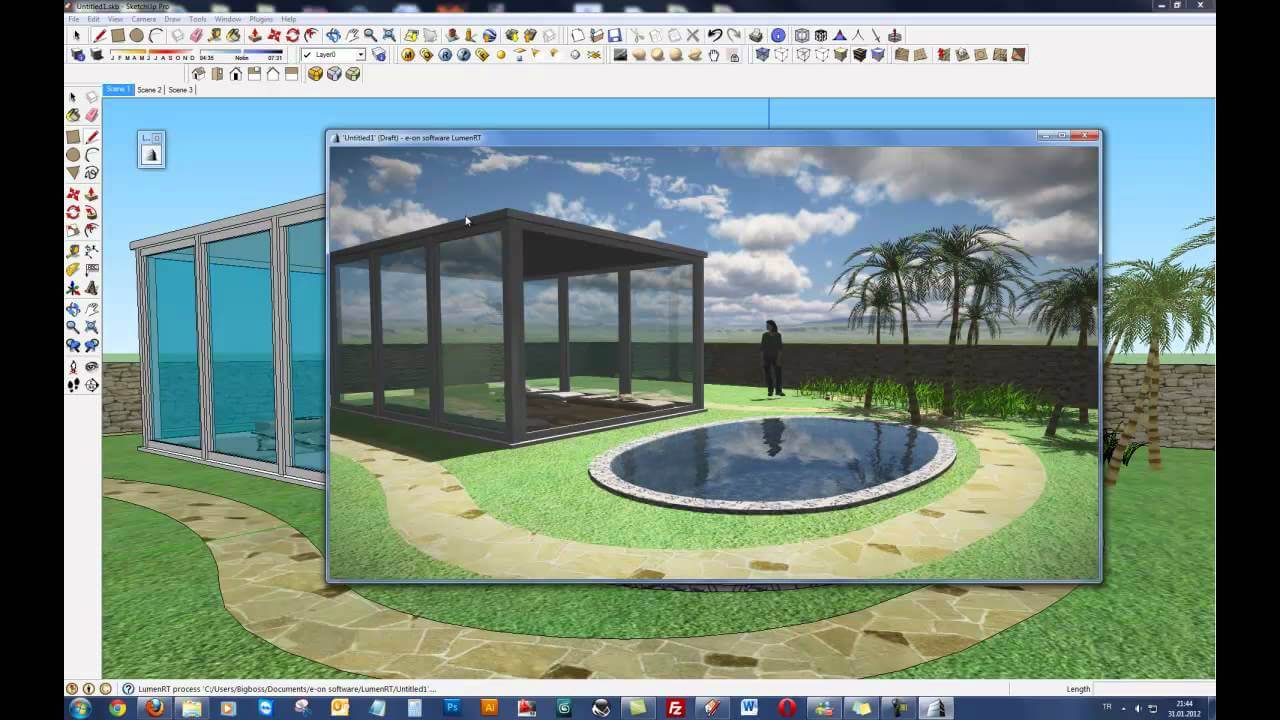
Trying alternative render engines broadens what you can do as a SketchUp user. Most of us start with well-known names like V-Ray, Enscape or Lumion. On some projects, though, the less talked-about engines are very useful. In this playlist we visualize SketchUp models with LumenRT and KeyShot.
The series has two videos for now. The first covers LumenRT, and the second is a mechanical animation made with SketchUp and KeyShot. Each engine answers a different need. So think of them as an option next to your main engine, not a replacement for it.
Alternative render engines: the video list
Watch the videos in order, or start with the engine that interests you. The first video in the list runs about 17 minutes.
 YouTube
Why learn more than one render engine?
Every render engine is strong at a particular job. One engine may stand out for architectural exteriors, while another shines at product shots. If you stick to a single engine, you will spend more time than needed on some jobs. The kind of output the client wants also affects the choice. (The video is in Turkish; this guide walks through the key steps in English.)
Different engines also give you a fresh perspective. Light, materials and cameras work in similar ways in every program. So learning a second engine helps you understand the first one better, too.
SketchUp visualization with LumenRT
LumenRT is real-time visualization software from Bentley Systems. It is especially strong for landscape, infrastructure and large site scenes. It quickly fills a scene with living elements like moving plants, water and people. The model stops being just a building and becomes a living environment.
In the video we walk through using LumenRT with SketchUp step by step. In the years since, the program’s interface and release status have most likely changed. So we recommend checking the developer’s website for up-to-date information.
Mechanical animation with KeyShot
KeyShot is a render program that is very popular for product visualization. Its material library and studio lighting setups come ready for product presentations. In the second video of the list, we animate parts prepared in SketchUp inside KeyShot. In other words, we look at SketchUp for industrial design as well as architecture.
In mechanical animation, it is essential that the parts are separate groups. Make every moving part its own group or component in SketchUp. Otherwise you will not be able to separate the parts in the animation program.
How to choose between alternative render engines
When choosing, look at the type of work first. The common engines for architectural interiors and exteriors offer more resources and lessons. For specialized work like product shots and technical animation, programs like KeyShot come to the front. Then take your computer’s hardware and your budget into account.
- Type of work: Is it architecture, landscape, product or animation?
- Learning resources: Are there lessons in your language and community support?
- File compatibility: Does it open the SketchUp model without problems?
- Hardware: Does the engine run on the CPU or the graphics card?
For an overview of the popular engines that work with SketchUp, take a look at our SketchUp render engines article. We also gathered our views on choosing a program in the render programs debate article.
What to watch for when using alternative render engines
Every engine reads a SketchUp model a little differently. So keep your model clean. Make sure face fronts and backs are correct, and give materials meaningful names. Delete unnecessary geometry, too. That way the transfer goes smoothly whichever engine you move to.
You can browse the engines that run as extensions on the SketchUp Extension Warehouse. For standalone programs, you need to transfer the model in a common file format. For more architectural rendering examples, you can also look at our work.
Your first project with an alternative engine
When you try a new engine, do not start with a big project. Pick a simple cube, a table or a small one-room building instead. You will learn the program’s logic for light and materials in a simple scene. Then render the same scene in the engine you already know and put the two results side by side.
This comparison tells you a lot. One engine may calculate softer shadows, while the other shows materials more vividly. You will also see which program runs more smoothly on your computer. In the end, you choose between alternative render engines based on your own experience.
Frequently asked questions
Do alternative render engines work with the same model?
Yes, you can transfer a clean SketchUp model to more than one engine. However, you need to set up the material settings again in each engine.
Is KeyShot suitable for architectural visualization?
KeyShot is strongest for product and object shots. For architectural scenes, engines like Enscape, Lumion or V-Ray give results more easily.
Which engine should a beginner start with?
We recommend building your basics with a widely used engine first. Then, as you need them, you can move on to other options like LumenRT or KeyShot.