SketchUp Skatter Tutorial


The SketchUp Skatter extension arrived in SketchUp users’ lives as a long-awaited scattering tool. Skatter does far more than SketchUp’s free scattering extensions. It scatters objects like trees, plants, grass and stones across a surface in proportion and at different sizes. In this article we briefly introduce the extension and share our two-part tutorial video.
Because it is a paid extension, hobby users mostly used the demo version when it first came out. For people doing commercial work, it had become a very valuable tool. For current license options, check the extension’s own page.
SketchUp Skatter tutorial: part 1
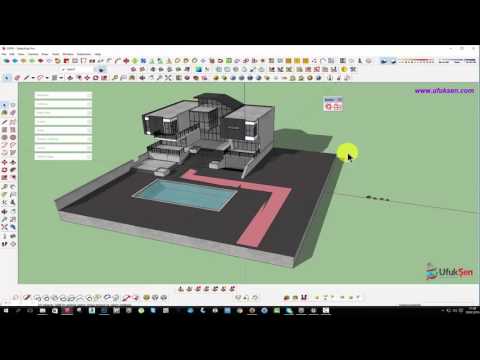
In the first video we introduce the extension and show its basic use. The video is short, so you can watch it right away and try it on your own model.
 YouTube
SketchUp Skatter tutorial: part 2
In this part we continue explaining the extension. With all its fine details, this extension lets you scatter at different ratios and sizes. (The video is in Turkish; this guide walks through the key steps in English.)
 YouTube
What does SketchUp Skatter do?
In landscape projects, placing hundreds of trees or thousands of grass tufts by hand is close to impossible. Skatter brings that job down to a few clicks. You select a surface, choose the objects to scatter and the extension does the rest.
What’s more, Skatter is not only for trees and plants. It works with any object you want to scatter across a given surface. You could scatter cars across a parking lot, people across a square or products across a shelf, for example. This flexibility makes the extension valuable in all kinds of projects.
Scattering settings in SketchUp Skatter
- Density: Sets how many objects land in a given area.
- Random size: Scatters objects at different sizes for a natural look.
- Random rotation: Reduces the feeling that the same model is repeating.
- Scatter area: Places objects on the surface you select or in specific zones.
When you use these settings together, you get a natural-looking forest even from a single tree model. But be careful with very high-poly models. When the extension first came out, it was slow with heavy models like these. The developer keeps updating the extension, though.
A free alternative: Make Fur
If you are looking for a free option before trying Skatter, you can use the Make Fur extension. Make Fur is a good start, especially for dense surfaces like grass and carpet. To get the extension, see our SketchUp 2017 extensions article.
If you don’t know how to install extensions, our extension installation guide shows you the way. For safe downloads, make the official extension store, Extension Warehouse, your first stop.
Keeping scattered scenes light
A scene with thousands of objects can easily slow SketchUp down. So keep the models you scatter as light as possible. Using your render engine’s proxy feature also makes a big difference. With proxies, heavy models show up in SketchUp as a simple placeholder. At render time, they come out in full detail.
We explained other ways to keep the file light in our reducing file size article. In landscape-heavy projects, these methods cut both modeling and render time.
What scenes can you build with Skatter?
The extension is used most in landscape-heavy exterior projects. You can scatter trees, shrubs and grass across a housing complex garden in minutes, for example. You can also easily prepare large areas like forests, parks or farmland this way.
It is useful indoors as well. You can scatter fur texture on a rug, books on a shelf or small objects on a table. That way you add a lived-in feel to the scene that would take hours by hand. In short, the wider your imagination, the more you get out of the extension.
But don’t overdo it in every scene. Scattering that is too dense makes the image look crowded and strains the computer. So raise the density step by step to find the right balance.
In short, Skatter is an extension that deserves a place in the toolkit of anyone doing landscape and site design. Try it with the demo version first, then decide based on your needs. Don’t forget to share your results in the comments.
Frequently asked questions
Is SketchUp Skatter free?
No, Skatter is a paid extension. For current license options and the trial version, see the extension’s own page.
Is there a free alternative to Skatter?
Yes, Make Fur is a good free option, especially for surfaces like grass and carpet.
Does Skatter slow the scene down?
Yes, if you scatter a lot of heavy models. You can greatly reduce this problem by using light models and proxies.